Theme Installation And License Activation
Estimated reading: 2 minutes
356 views
Installation Process
This section explains how to install the Brandberry theme using the WordPress Admin Dashboard. This is the fastest and easiest installation method and is recommended for most users. Follow the steps below to get Brandberry installed and activated on your website.
Requirements
Before proceeding, make sure that WordPress is already installed on your server. For the best experience, we strongly recommend using a fresh WordPress installation. This allows you to import demo content smoothly without conflicts with existing pages or settings.
For detailed system requirements and compatibility information, please refer to the System Requirements & WordPress Setup section.
Upload via WordPress Dashboard
- Log in to WordPress Admin
Access your admin panel by visiting yourdomain.com/wp-admin and log in with your credentials. - Navigate to Theme Upload
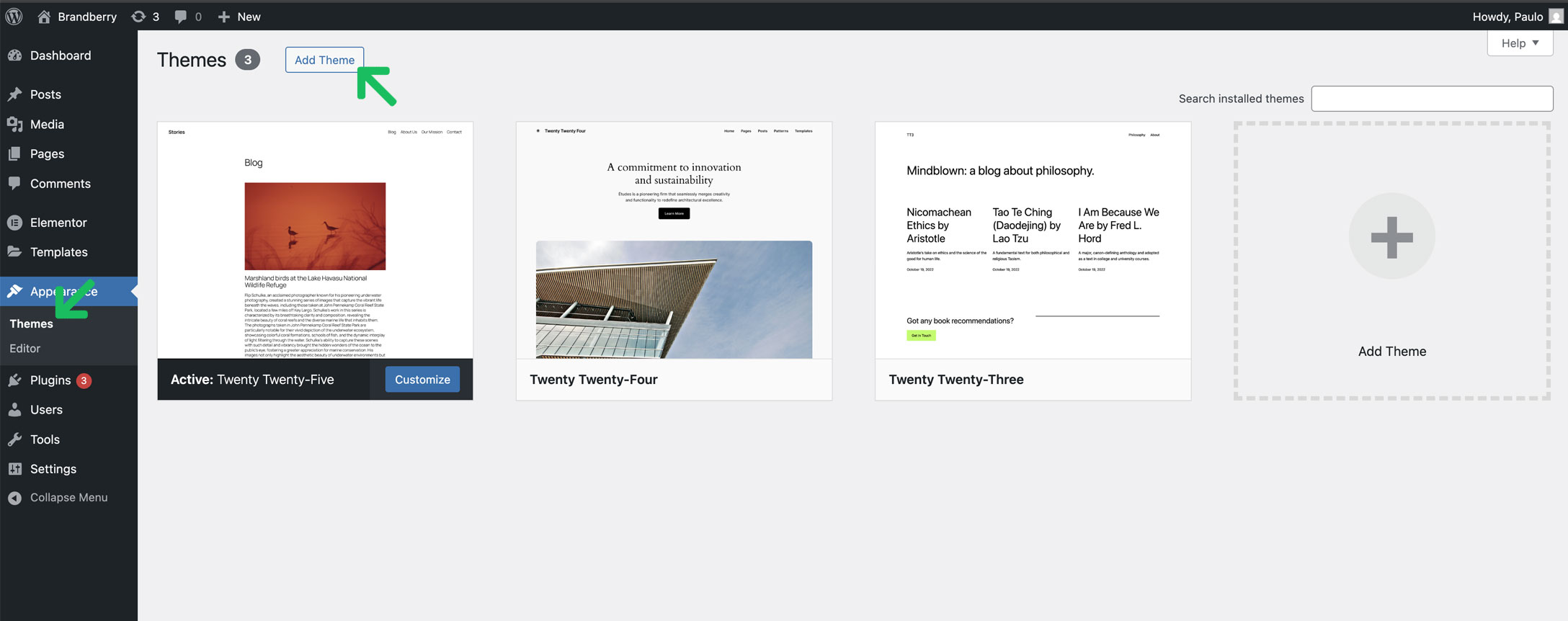
Go to Appearance → Themes → Add New → Upload Theme. - Select the Theme File
Click Choose File and select the brandberry.zip file from your computer. - Install the Theme
Click Install Now and wait for the installation process to finish. - Activate Brandberry
Once the installation is complete, click Activate to make Brandberry your active theme.
Theme Licensing / Activate Envato License
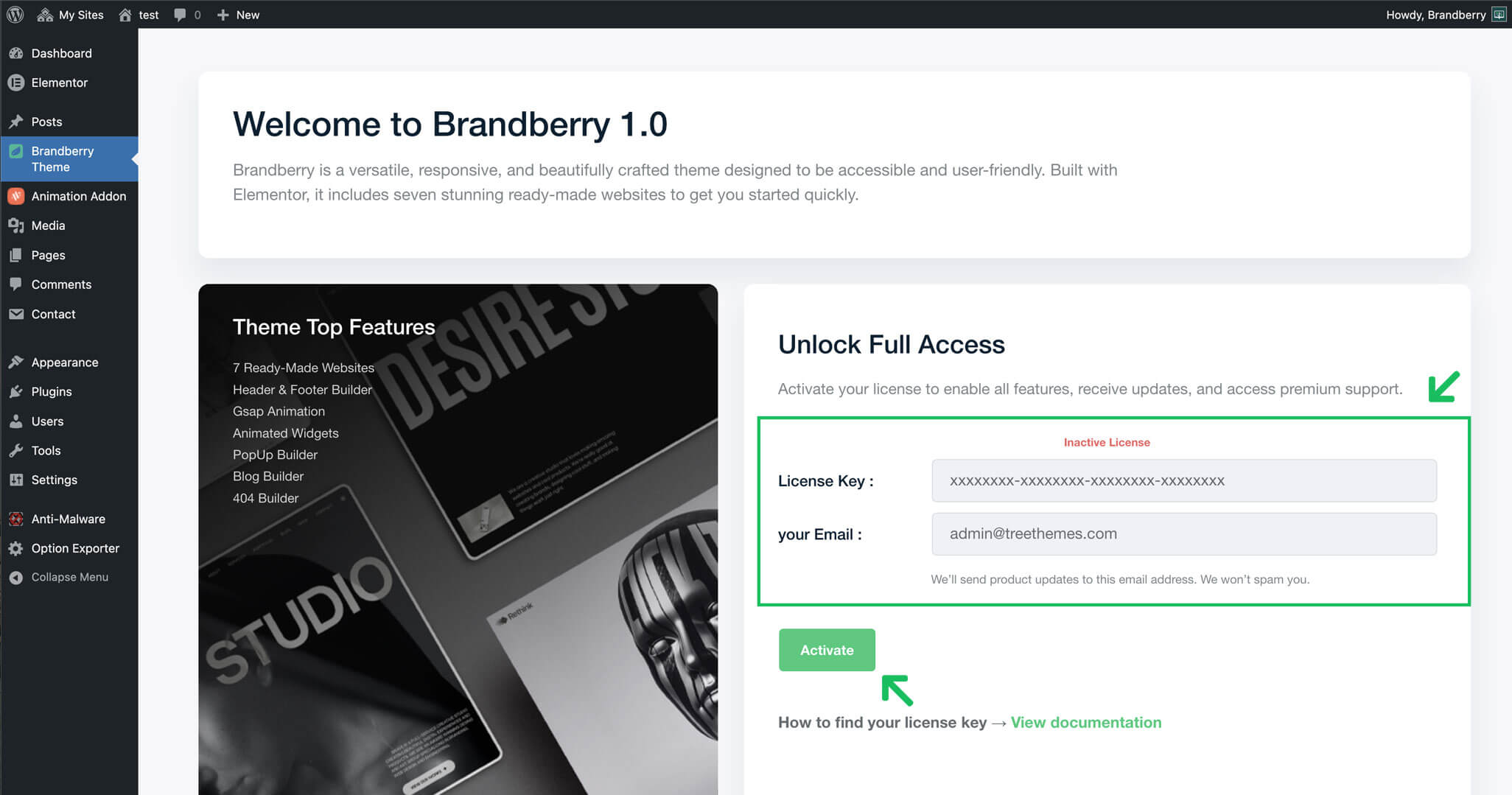
After installing and activating the Brandberry theme, you will be prompted to activate your theme license. A license activation screen will appear in your WordPress dashboard.
Once the required information is entered, click the Activate License button to complete the process. After successful activation, you will have access to all theme features, updates, and demo content.
Note: Each license can be activated on one website at a time, in accordance with the Envato license terms.
To activate your license, please enter the following information:
- Your valid ThemeForest purchase code
- The email address associated with your ThemeForest account
Find Envato License
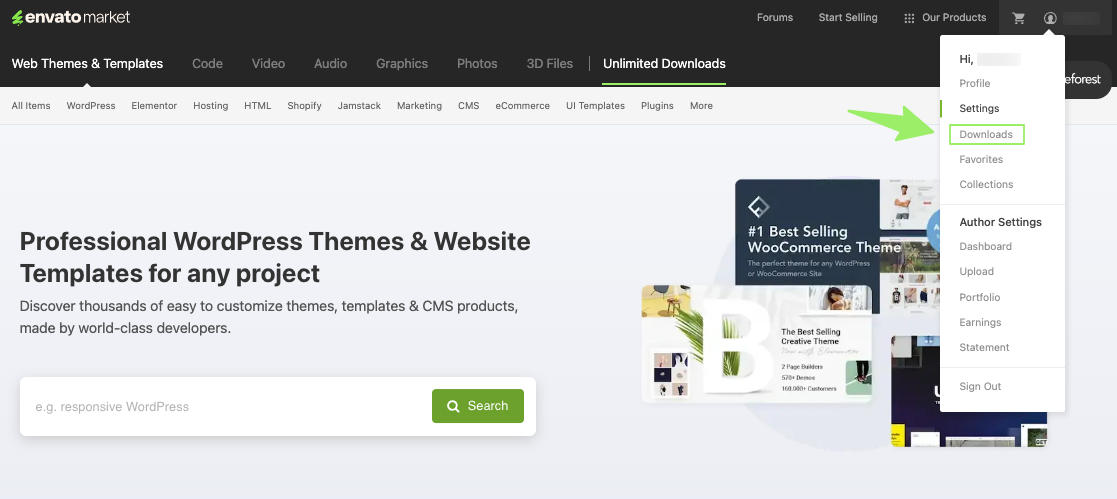
- Log into your Envato Market account.
- Hover your mouse over your username at the top of the screen.
- Click ‘Downloads’ from the drop-down menu.
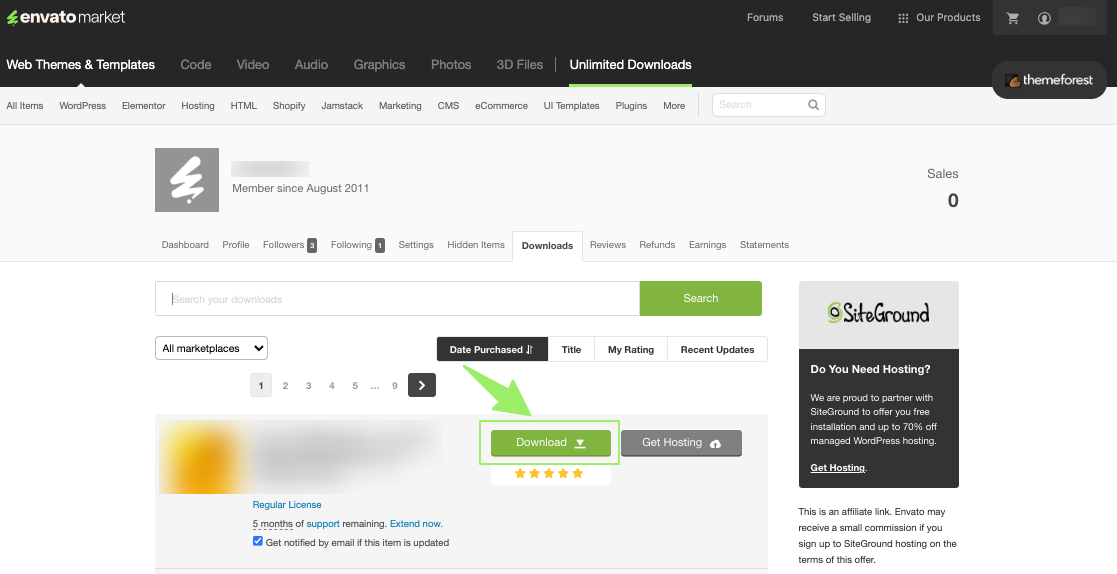
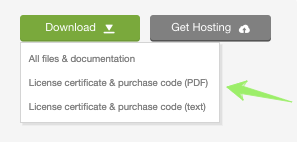
- Click ‘Download’ next to the item for which you need the purchase code.
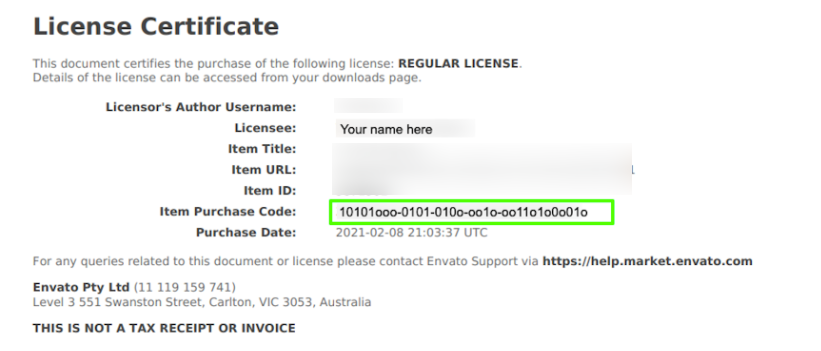
- Click ‘License certificate & purchase code’ (available as PDF or text file).
Here is an example of a PDF License certificate and purchase code:
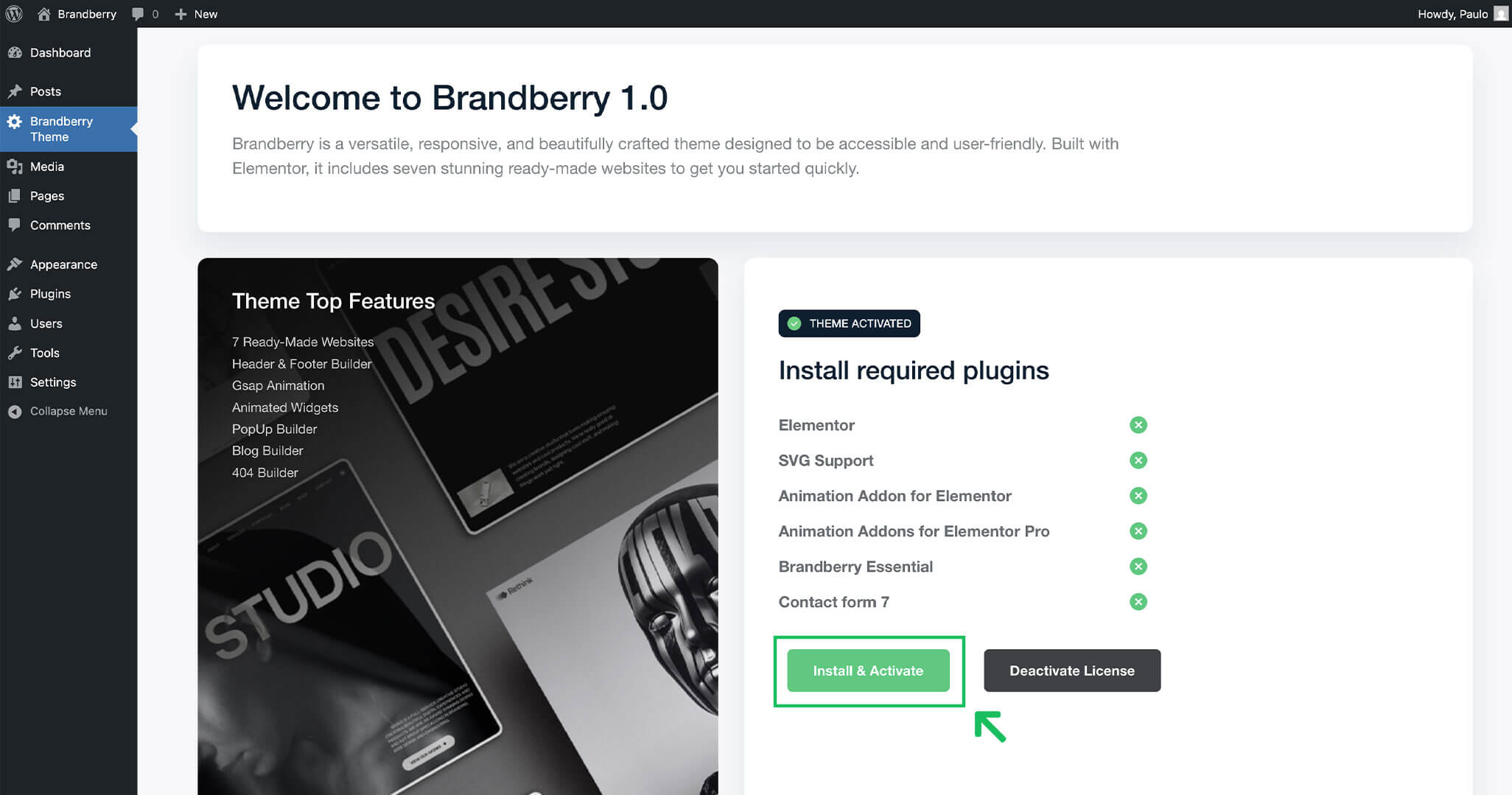
Install & Activate plugins
After installing and activating the theme with your license key, you will need to install all required plugins. Some of the essential and recommended plugins include Elementor, Contact Form 7, the Theme Essentials plugin, and Animation Elementor Addons.