Import Single Page
Estimated reading: 1 minute
149 views
After activating your Envato license, you will gain access to Brandberry’s page import.
The Page Import feature allows you to import individual demo pages without affecting your existing content. This is useful if you only need specific layouts, such as a homepage or landing page.
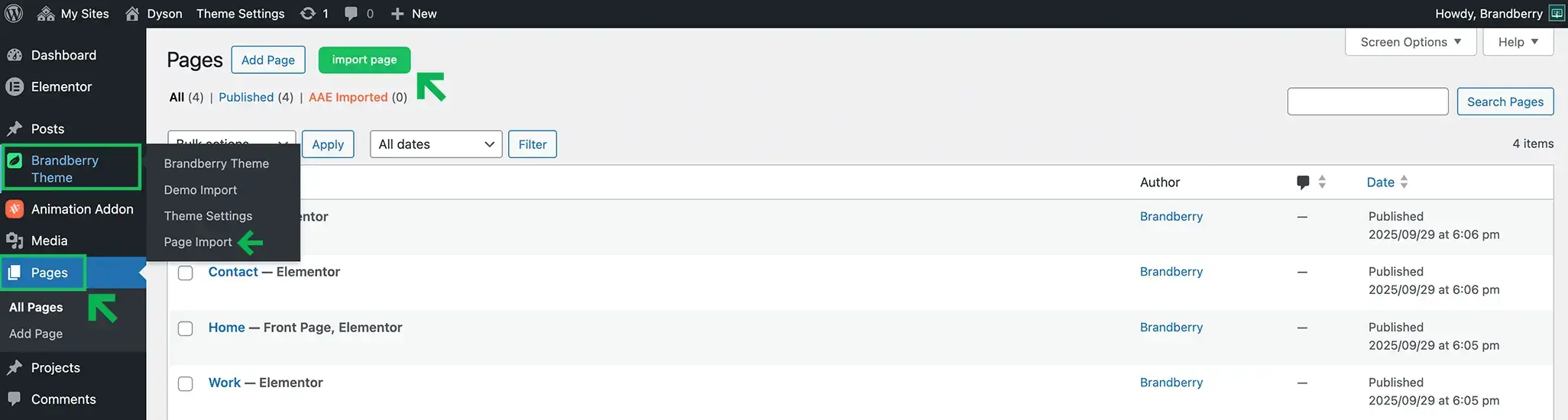
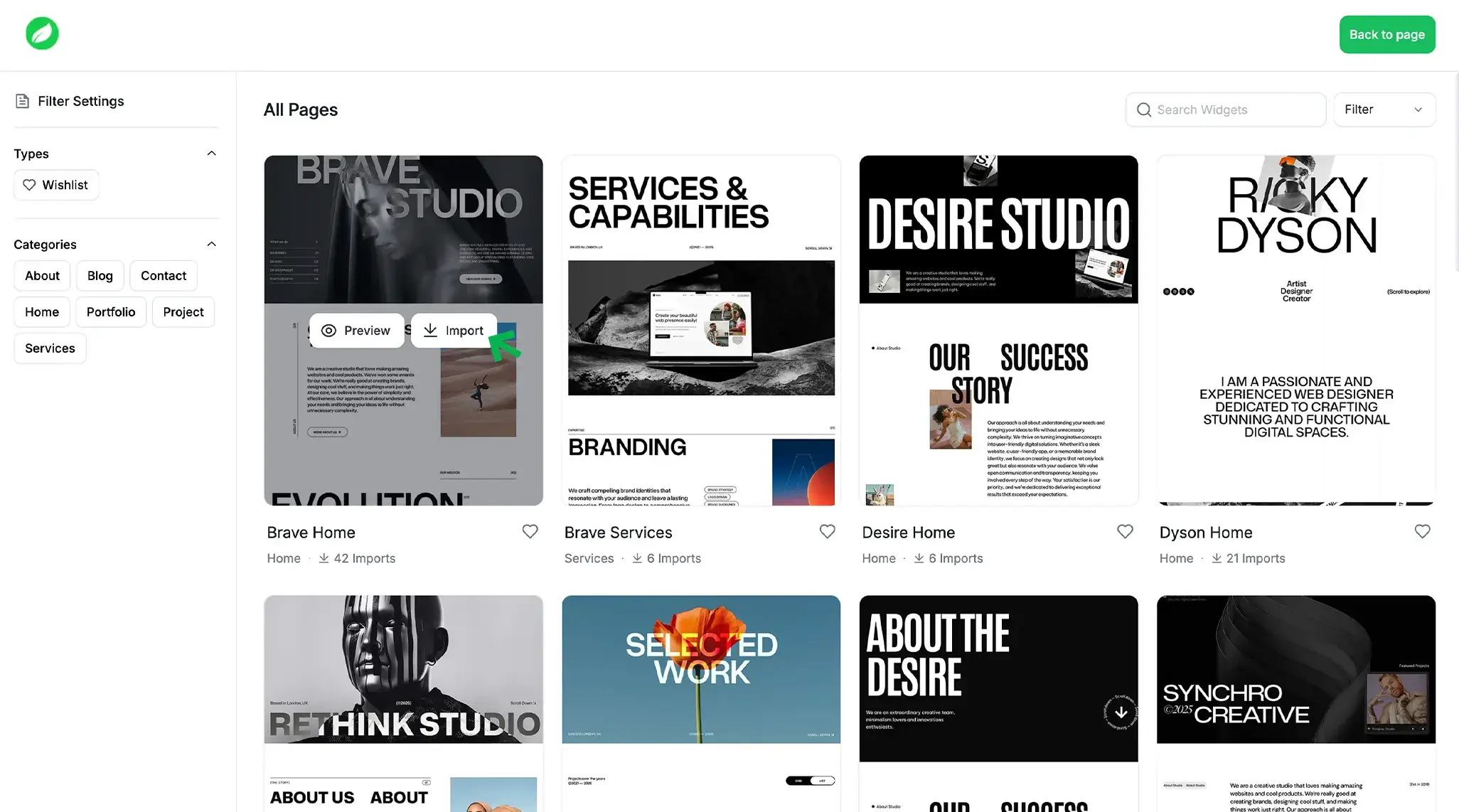
To import demo pages:
- Go to Pages → Page Import in your WordPress dashboard.
- Choose the page you want to import.
- Click Import Page.
Check other two demo import options:
- Import Full Demo/Website
- Import Sections / Elementor Template Library
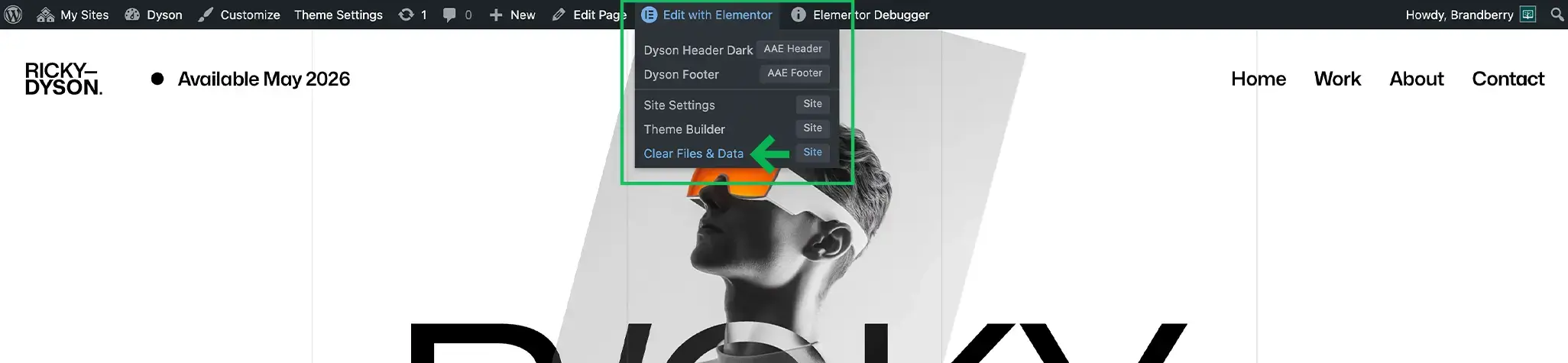
IMPORTANT: After the import, you may need to clear the page cache in Edit with Elementor → Clear Files & Data.