
WooCommerce theme settings
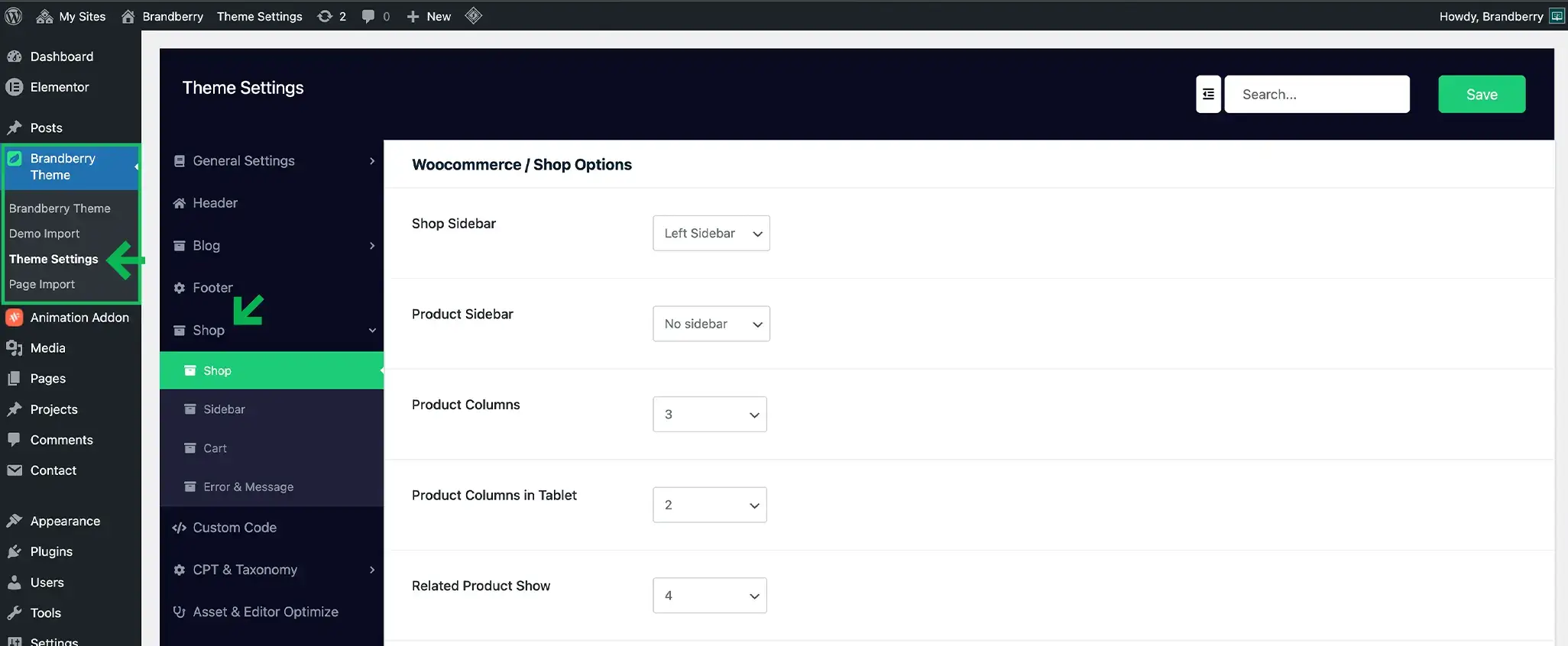
Brandberry includes dedicated WooCommerce theme settings that allow you to control your shop layout and styling without using Elementor.
To access these options, go to Brandberry Theme → Theme Settings → Shop.
These settings apply globally across your store (shop pages, product pages, cart, and WooCommerce notices).
Shop Layout Options
Use these options to control the overall layout for shop archives and single product pages.
- Shop Sidebar – Choose the sidebar position on shop and product archive pages (Left / Right / No sidebar).
- Product Sidebar – Choose the sidebar position on single product pages independently.
Product Grid Settings
- Product Columns – Set how many products display per row on desktop.
- Product Columns in Tablet – Adjust the number of columns for tablet devices.
Related Products
- Related Product Show – Choose how many related products appear on single product pages.
Product Image Size
The Image Size option lets you select which WooCommerce image size is used for product thumbnails.
Using the correct size improves consistency and can help performance.
Sidebar Styling
Under Theme Settings → Shop → Sidebar, you can style your shop sidebar to match your design:
- Title Color
- Border Color
- Border Radius
- Background Color
Cart Settings
Under Theme Settings → Shop → Cart, you can control cart behavior and styling:
- Update Cart with Quantity – When enabled, the cart updates automatically when users change quantities.
- Onsale Color – Set the text color for the sale badge/label.
- Onsale Background Color – Set the background color for the sale badge/label.
Error & Message Styling
Under Theme Settings → Shop → Error & Message, you can customize WooCommerce notices globally (success, info, and error messages) to match your theme style.
Each message type includes options such as:
- Text/Title color
- Border color
- Icon color
- Background color
Tip Theme settings are the fastest way to get a clean and consistent shop design. If you need full visual control, you can also build custom shop layouts using Elementor and WooCommerce widgets.
