Single Builder
Estimated reading: 2 minutes
90 views
The Single Theme Builder in Brandberry allows you to design custom layouts for individual content items using Elementor. Instead of relying on default WordPress templates, you can visually control how single pages, posts, and custom post types are displayed.
What Is a Single Template?
A single template defines the layout used when viewing one individual item, such as a blog post, a page, or a custom post type entry. With Brandberry, single templates are built using Elementor and can be applied to different content types through display conditions.
Single templates can be used for:
- All single posts
- All single pages
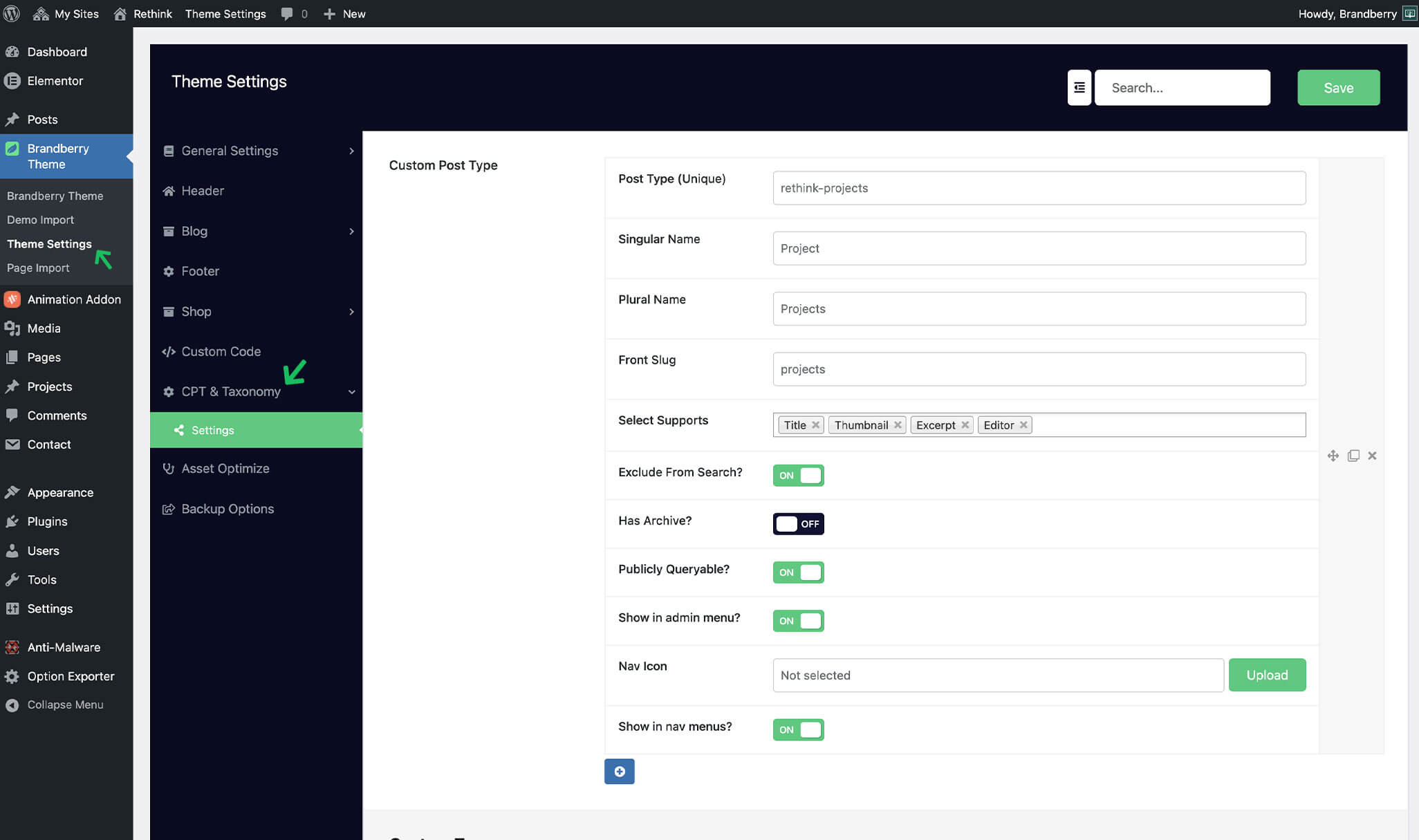
- Custom post types created using the CPT Builder (Theme Settings -> CPT)
This allows you to maintain a consistent layout while still supporting different content structures across your website.
Creating a Single Template
To create a new single template:
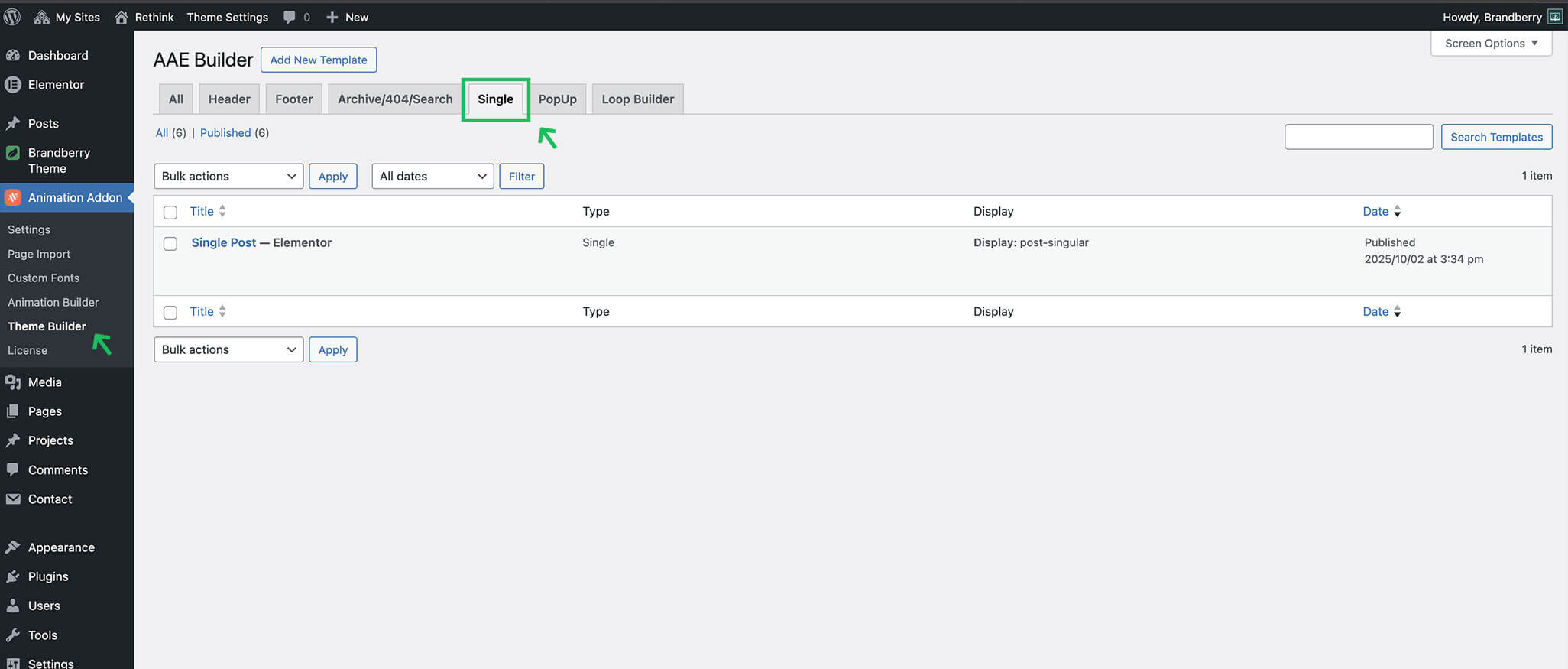
- Open the Theme Builder (Animation Addons → Theme Builder)
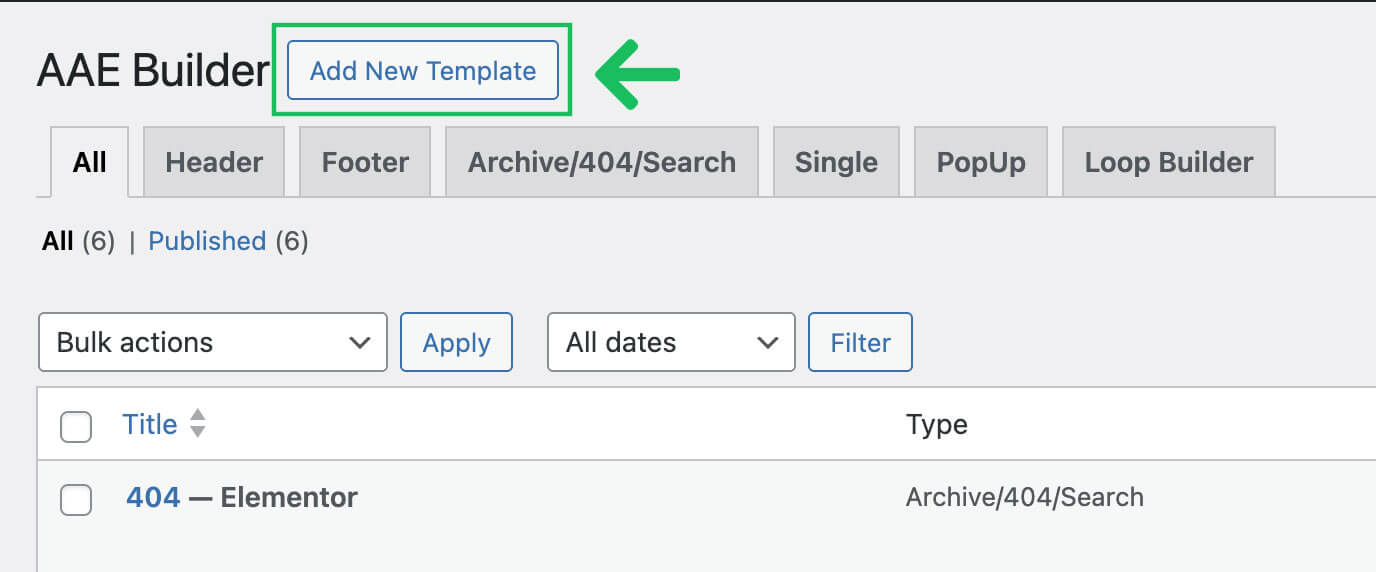
- Click Add New and select Single.
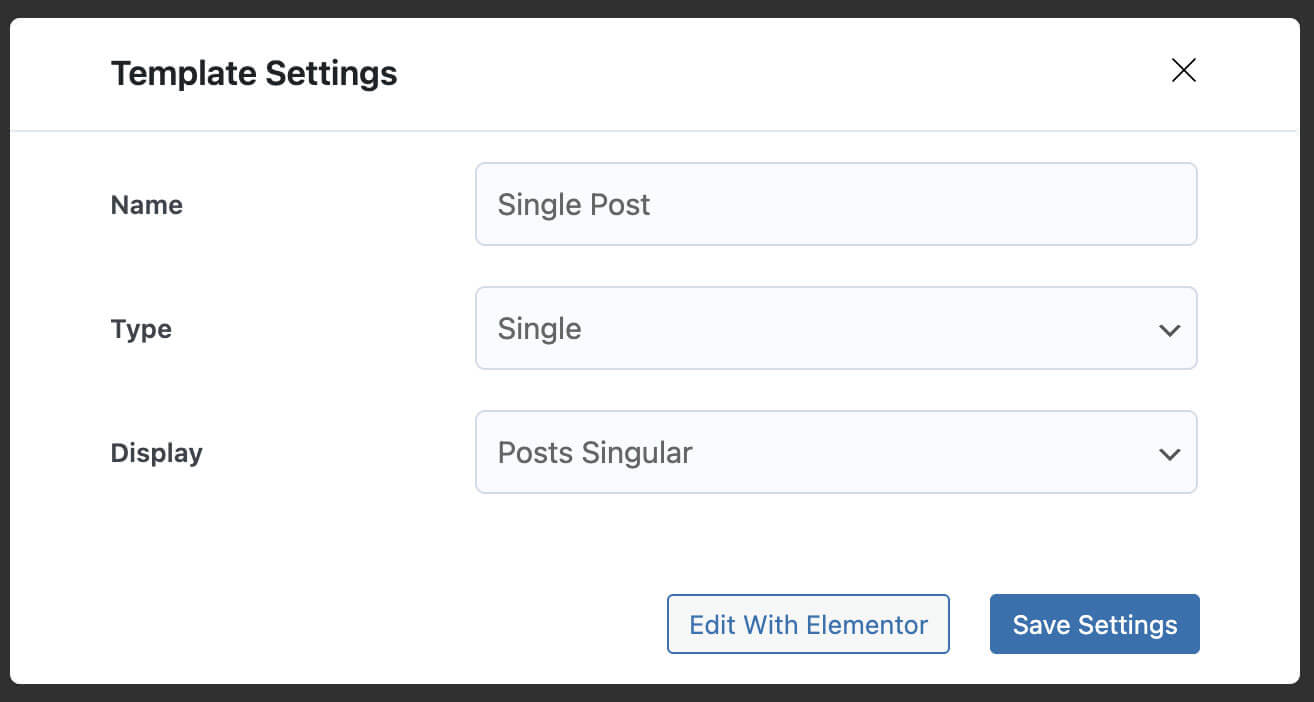
- Choose the content type you want to target (post, page, or custom post type).
- Click Edit with Elementor.
- Design the layout using Elementor widgets and dynamic content.
- Set display conditions and save the template.
Using Custom Post Types
If you are using custom post types created via Theme Settings → CPT, you can create dedicated single templates for each post type.
This is especially useful for portfolios, projects, services, or case studies, where each content type requires a unique layout.
Dynamic Widgets / Content
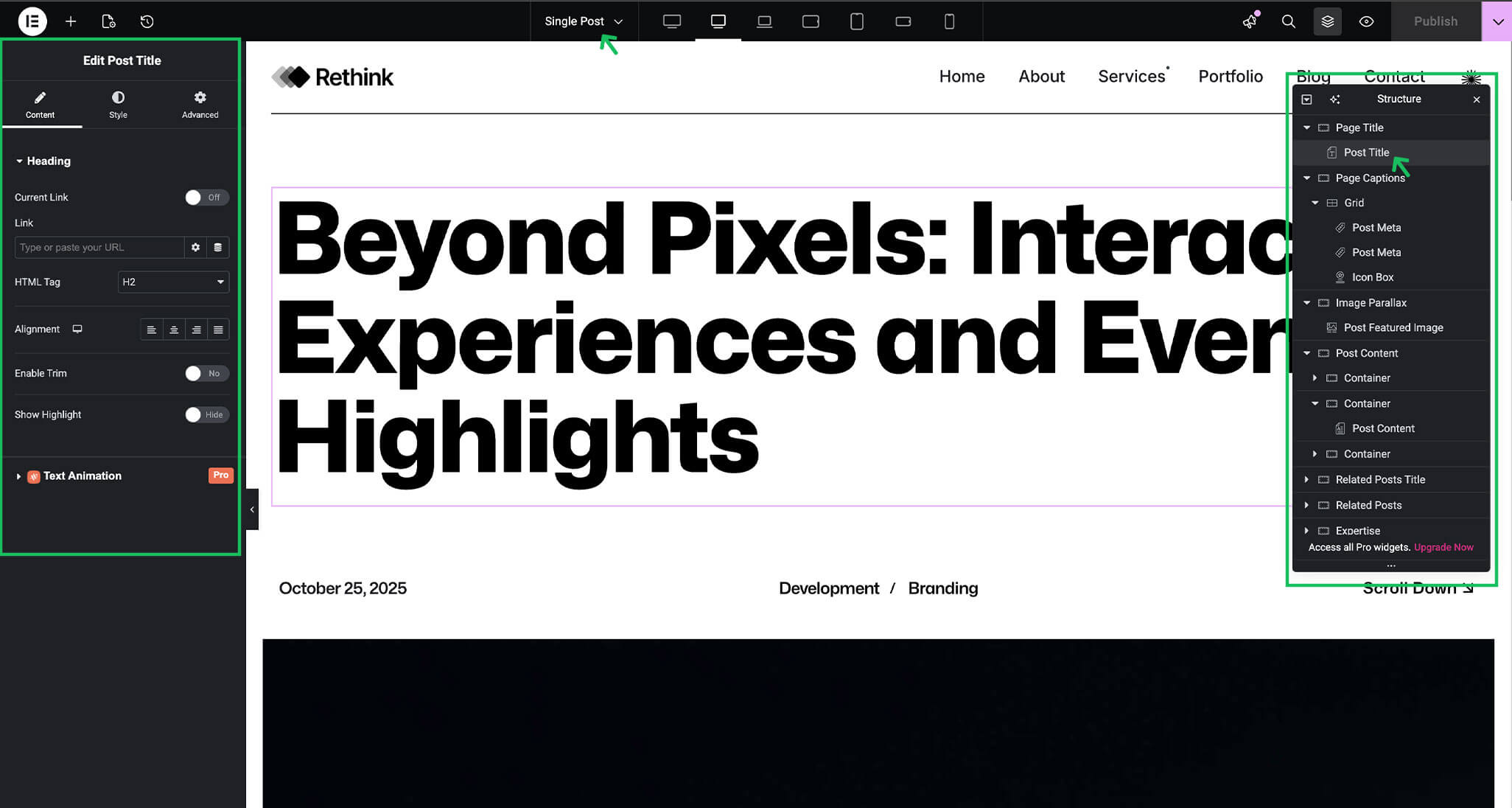
In Brandberry, single templates, mostly Single Posts, are built using dynamic content.
This means you only need to design one single template, and it will automatically display the correct content for every post, page, or custom post type item.
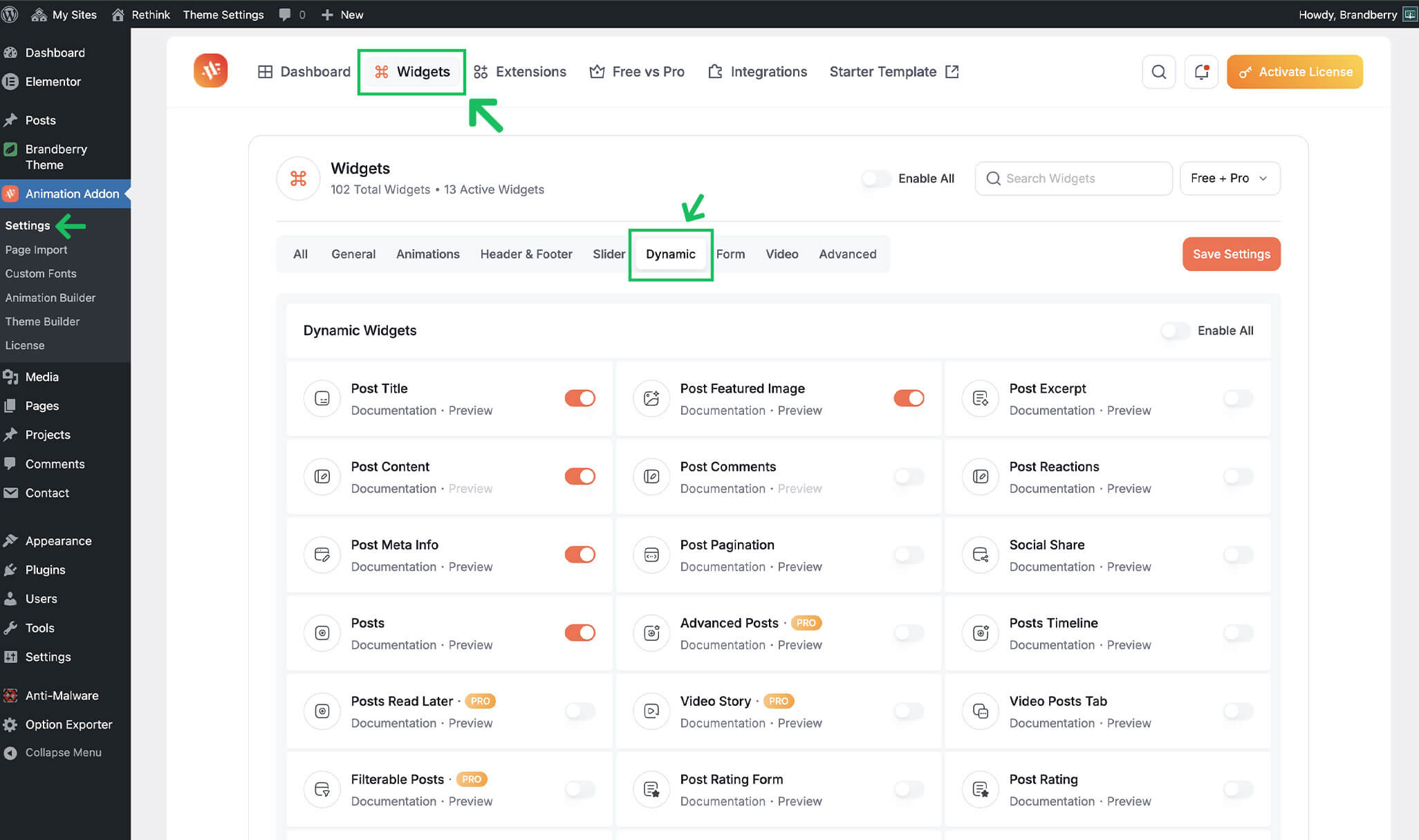
Instead of manually adding content, dynamic widgets pull data directly from the current post. Common dynamic widgets used to build single templates include:
- Post Title – Displays the post or item title automatically
- Post Meta – Used to show post information such as publish date and categories
- Post Featured Image – Displays the featured image of the post
- Post Content – Outputs the main content created in the WordPress editor
By using these dynamic widgets, the same layout is reused across all posts, while the content changes automatically based on the item being viewed.
You can Activate/deactivate dynamic widgets on Animation Addons → Widgets → Dynamic
You can learn more about available dynamic widgets and how they work in the official Animation Addons documentation: Animation Addons – Dynamic Widgets Documentation