Import Full Website
Estimated reading: 1 minute
580 views
After activating your Envato license, you will gain access to Brandberry’s demo import features. These tools allow you to quickly set up your website using pre-built content and layouts.
Brandberry offers three different demo import options, giving you full flexibility depending on how much content you want to import.
Import Full Demo
The Full Demo Import option installs a complete demo website, including pages, menus, theme settings, and demo content. This option is ideal if you are starting with a fresh WordPress installation.
To import a full demo:
- Go to Brandberry Theme → Demo Import in your WordPress dashboard.
- Select the demo you want to import.
- Click Import.
- Wait for the import process to complete.
Note We strongly recommend using this option on a clean WordPress installation to avoid content conflicts.
Check other two demo import options:
- Page Import
- Import Sections / Elementor Template Library
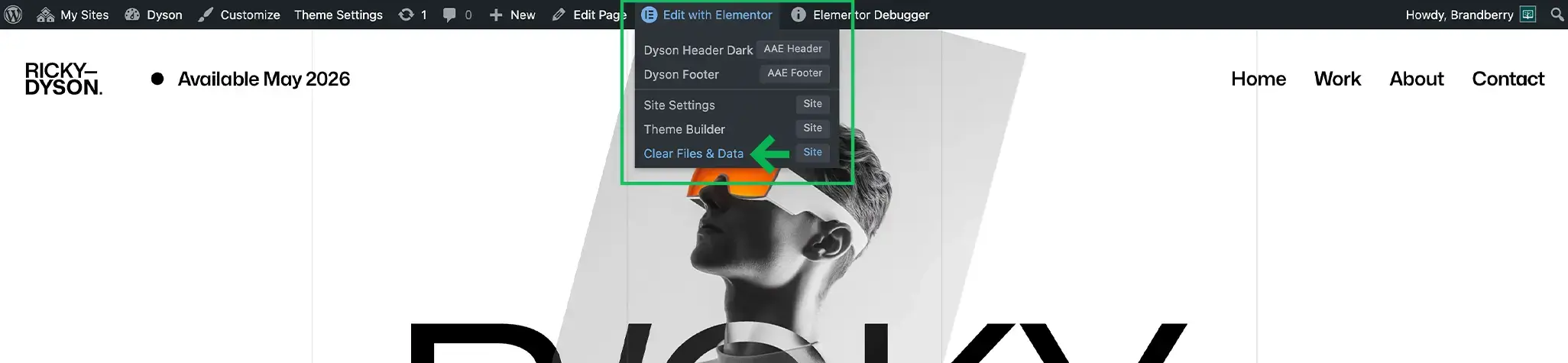
IMPORTANT: After the import, you may need to clear the page cache in Edit with Elementor → Clear Files & Data.