
Brandberry Elementor Options/Widgets
Estimated reading: 1 minute
187 views
In addition to the widgets provided by Animation Addons, Brandberry also includes its own set of built-in Elementor widgets and custom options.
Brandberry Parallax & Motion Effects
Brandberry extends Elementor’s native motion effects by introducing advanced parallax and animation controls, allowing you to create more dynamic and visually engaging layouts.
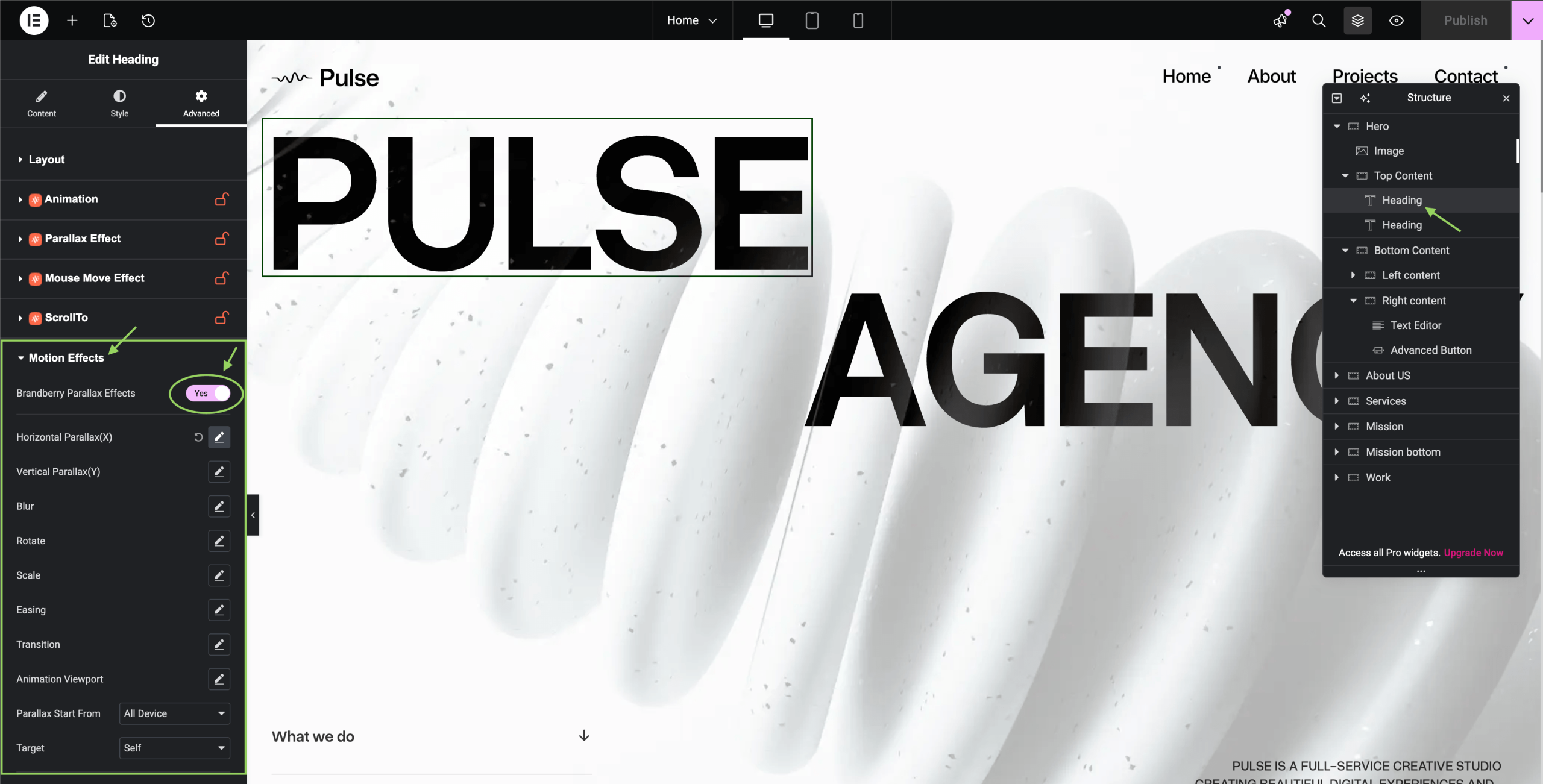
By enabling Brandberry Parallax Effects, you gain access to a set of powerful options that control how elements move and behave while scrolling.
- Horizontal Parallax (X): Moves elements horizontally based on scroll position.
- Vertical Parallax (Y): Creates depth by moving elements vertically at different speeds.
- Blur: Applies a blur effect dynamically during scrolling.
- Rotate: Rotates elements smoothly as the user scrolls.
- Scale: Adjusts element size to create zoom in/out effects.
- Easing: Controls the smoothness and timing of the animation.
- Transition: Defines how animations start and end.
- Animation Viewport: Determines when the animation starts based on element visibility.
- Parallax Start From: Choose on which devices the effect should be applied.
- Target: Defines whether the animation affects the element itself or a related container.
For best performance, use motion effects carefully and avoid overusing them on complex pages.
Note: This section is currently being updated.
