Header / Footer / Theme Builder
Estimated reading: 1 minute
401 views
Brandberry includes a powerful Theme Builder that allows you to create and manage headers, footers, and other theme templates visually using Elementor. This gives you full design freedom without editing theme files.
Theme Builder Overview
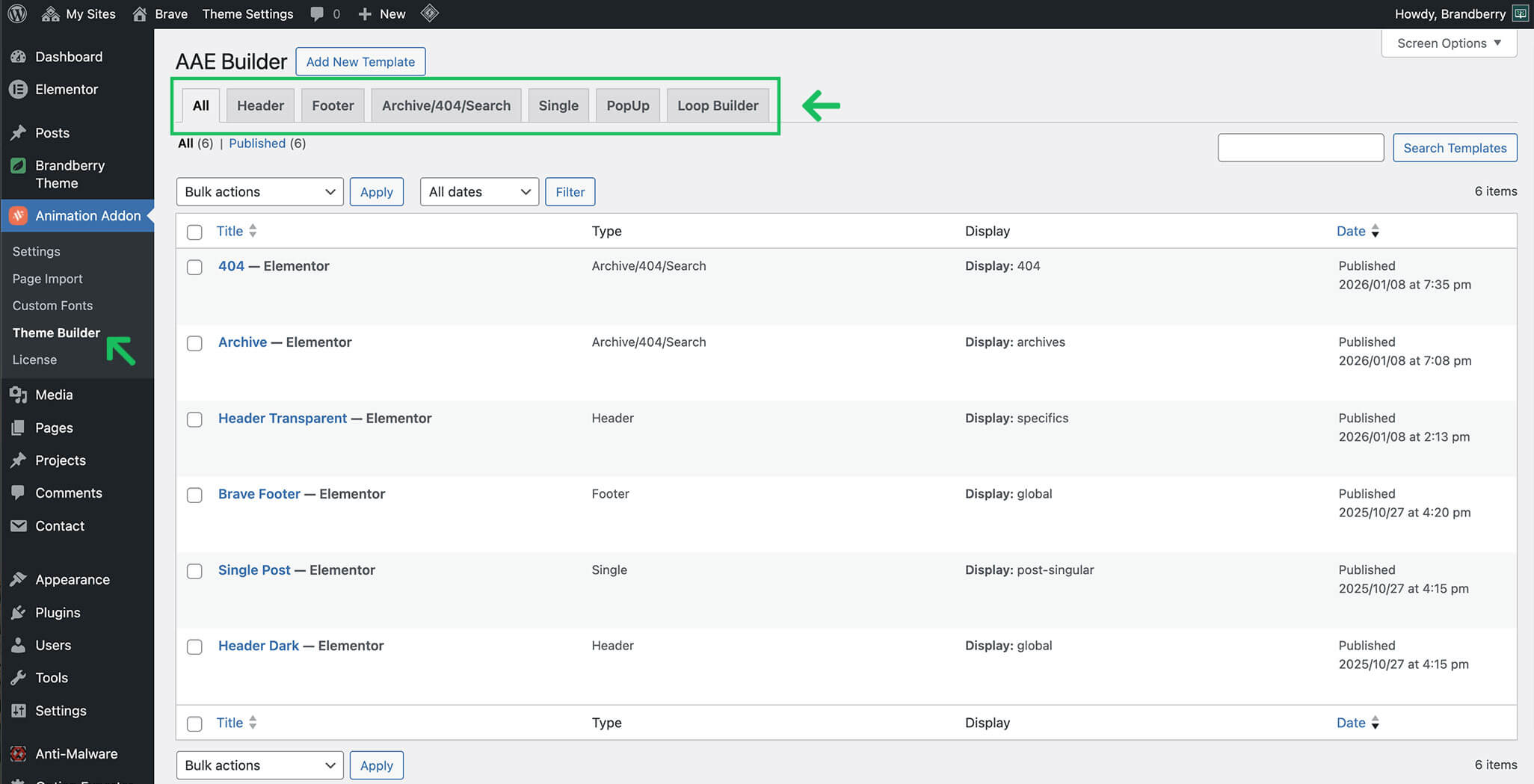
The Brandberry Theme Builder allows you to create and customize the following templates:
- Header
- Footer
- Archive pages
- Single post layouts
- Search results pages
- 404 error pages
- Popups
- Loop templates
All templates are built using Elementor and can be assigned globally or conditionally.
Accessing the Theme Builder
You can access the Theme Builder in three ways:
- Go to Brandberry Theme → Theme Settings → Header / Footer
- Go to Animation Addons → Theme Builder
- Access the builder in the frontend page on Edit with Elementor → Edit Header/Footer
How to use Theme Builder
To create a custom layout:
- Open the Theme Builder.
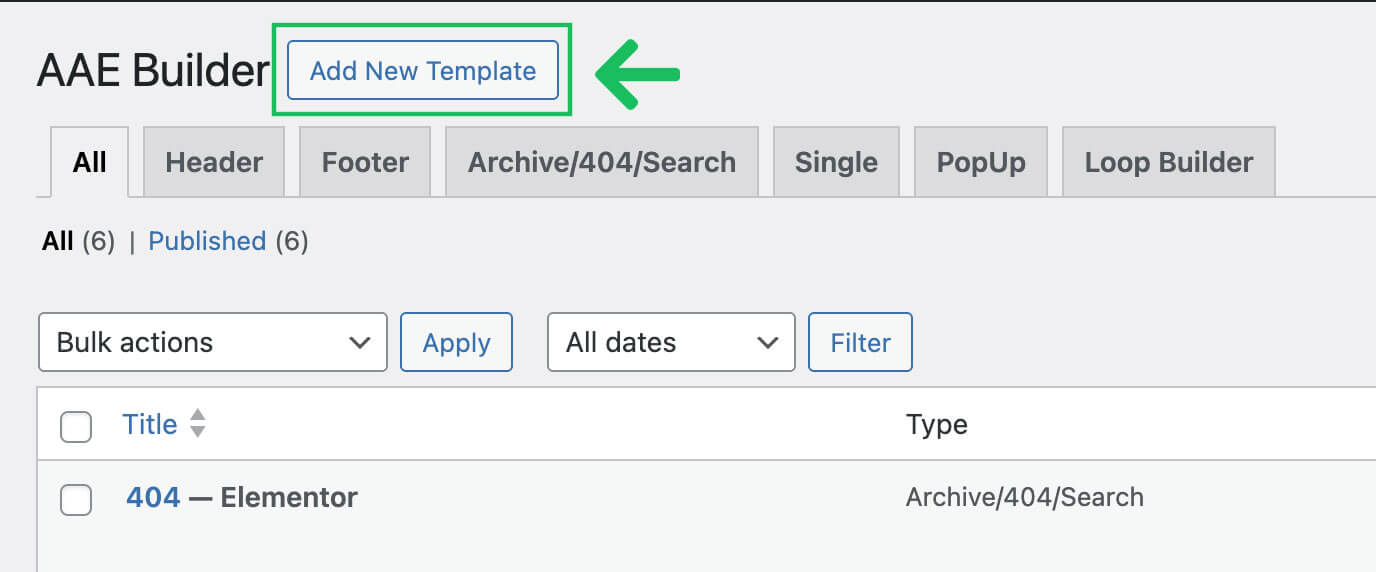
- Click Add New Template and choose Layout you want.
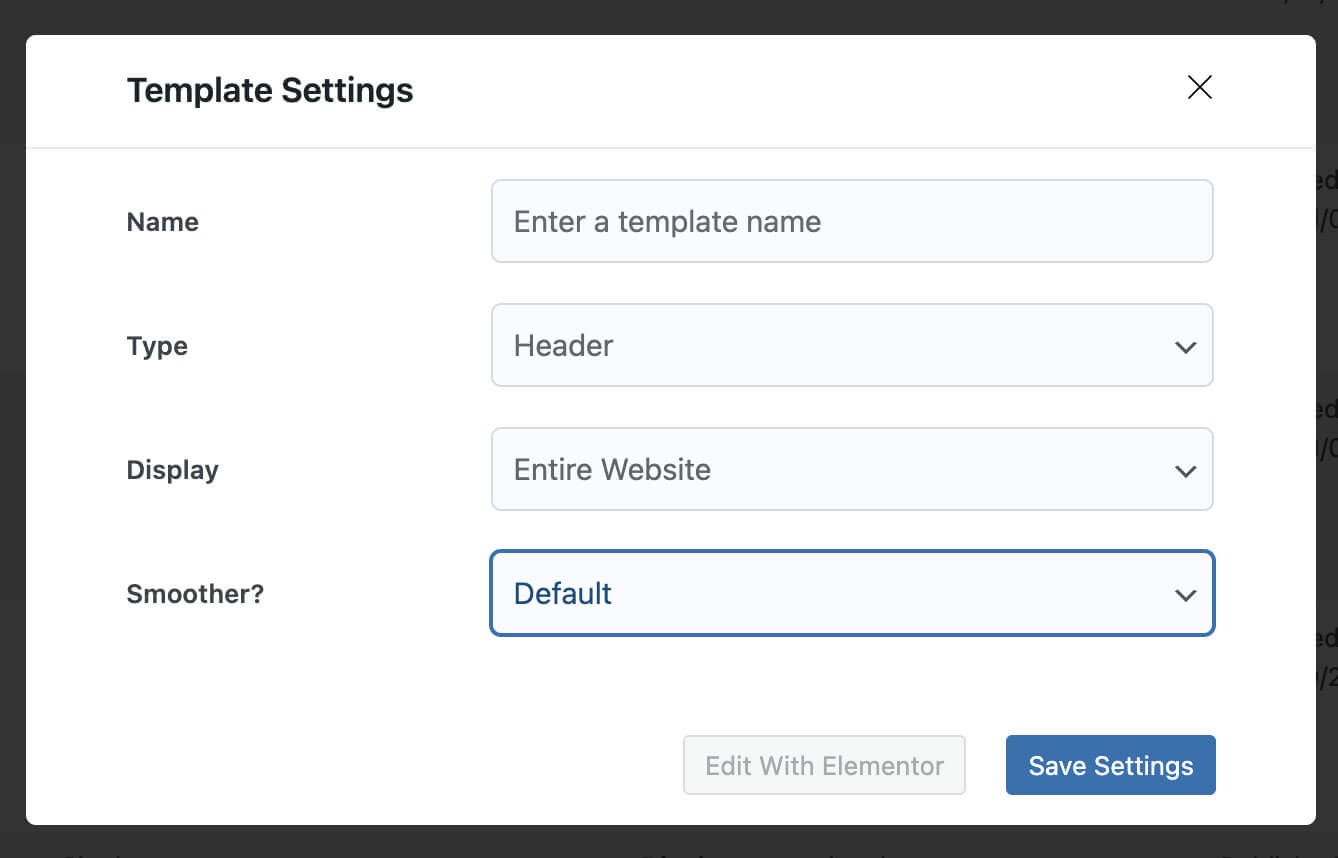
- Fill the options and conditions
- Click Edit with Elementor.
- Design your header using Elementor widgets.