
AI Agents & MCP
Estimated reading: 2 minutes
66 views
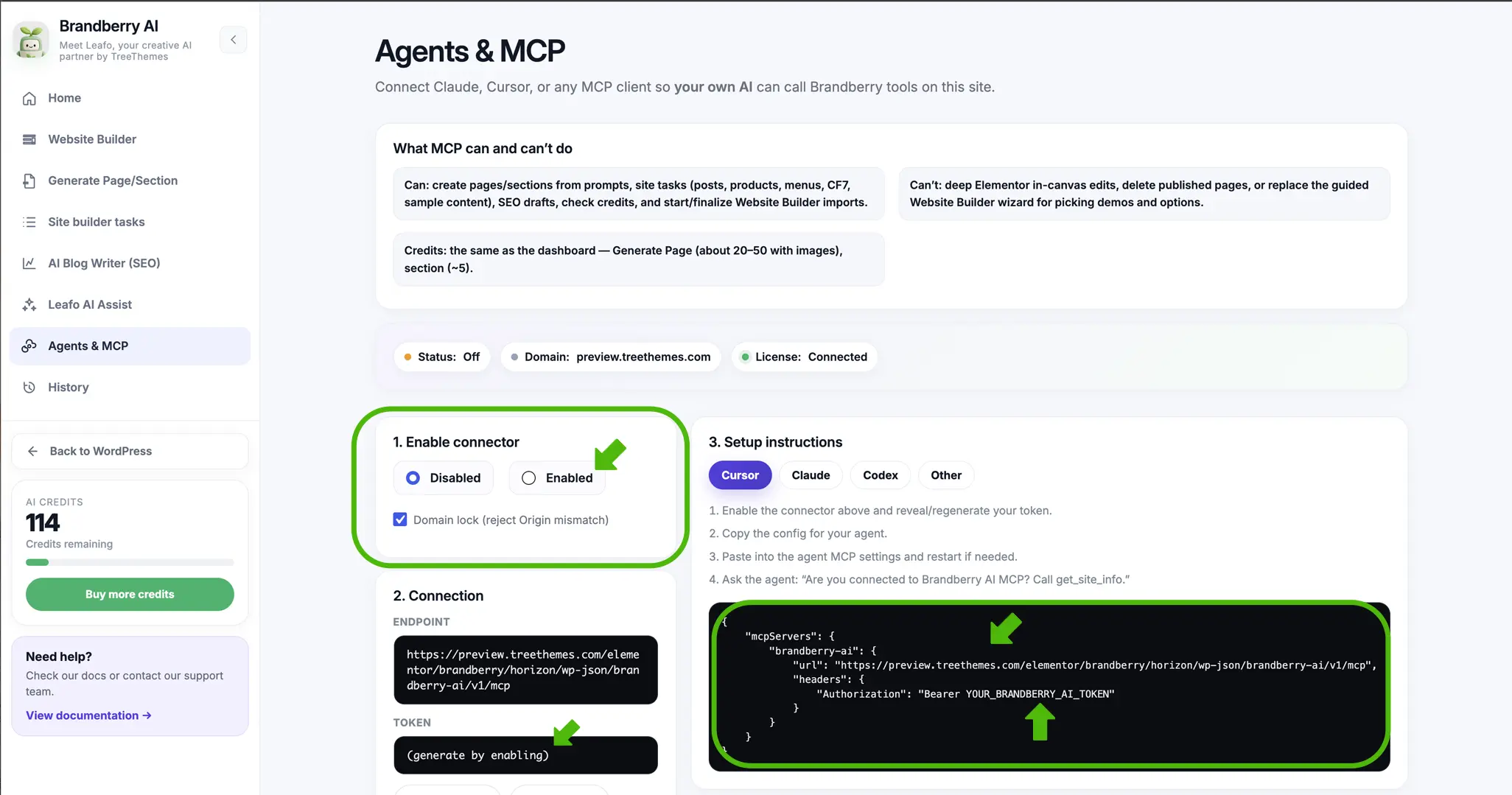
Agents & MCP
Agents & MCP lets you connect external AI clients such as Claude – Cursor – Codex – and other MCP-compatible tools directly to Brandberry. This allows your own AI assistant to access Brandberry tools and perform WordPress tasks on your website.
What Can You Do With MCP?
Once connected – your AI agent can use Brandberry tools to perform supported operations directly on your WordPress website.
- Create pages and Elementor sections from prompts
- Create posts – WooCommerce products – menus – Contact Form 7 forms – custom post types – and other site content
- Generate SEO article drafts
- Check your available AI credits
- Start and finalize Website Builder operations
Connect Your AI Agent
- Go to Brandberry Theme → Brandberry AI → Agents & MCP.
- Set the connector to Enabled.
- Select your AI client – such as Cursor – Claude – Codex or Other.
- Copy the provided MCP configuration and token.
- Add the configuration to your AI client’s MCP settings.
- Restart your AI client if required and test the connection.
Important: Your MCP token provides access to Brandberry AI tools on your website. Keep it private and regenerate it if you believe it has been exposed.
Note: Actions performed through MCP use the same Leafo AI credit balance as the Brandberry AI dashboard.
