Projects Post Type
Estimated reading: 2 minutes
308 views
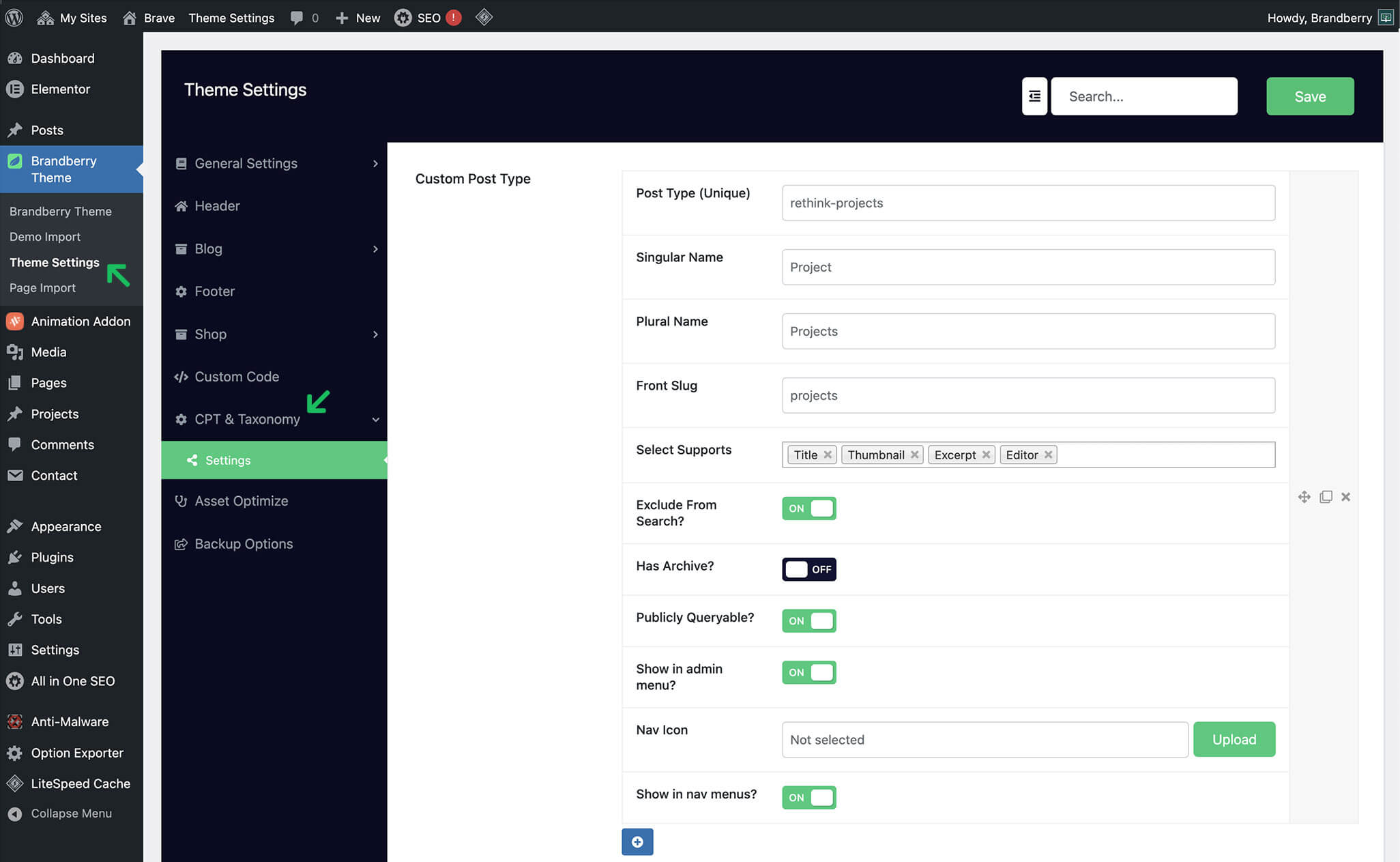
Brandberry allows you to create a Projects post type using the built-in Custom Post Type (CPT) Builder. This makes it easy to manage portfolio or project content separately from regular posts and pages.
To create a Projects post type:
- Go to Brandberry Theme → Theme Settings → CPT & Taxonomy.
- Create a new custom post type.
- Set the singular name to Project and the plural name to Projects.
- Configure the post type settings as needed.
- Save your changes.
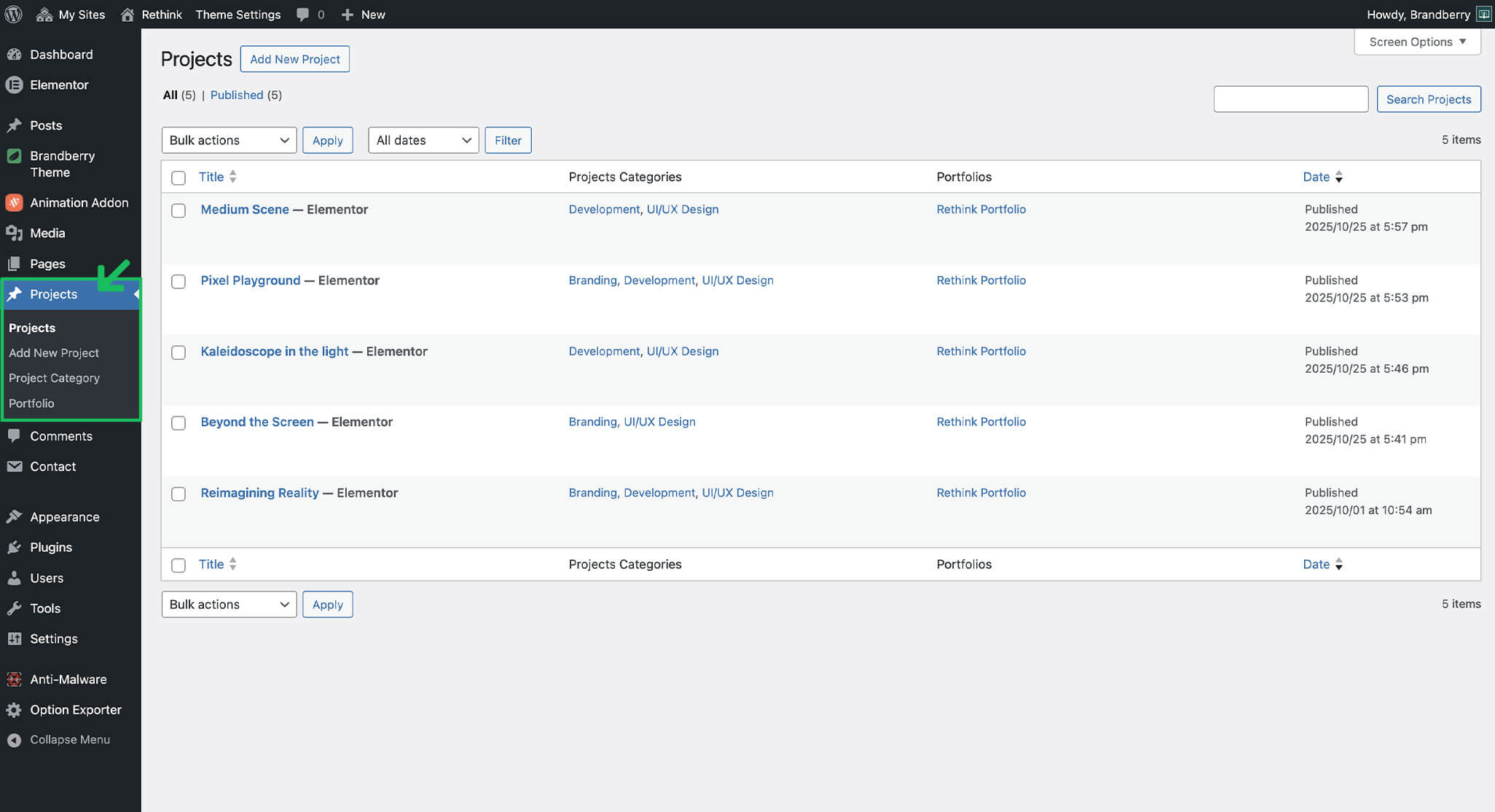
Once created, the Projects post type will automatically appear in the WordPress dashboard menu, just like in the Brandberry demo files. You can learn more about the CPT Builder options here
Managing Projects
After the Projects post type is created, you can start adding and managing your projects directly from the WordPress dashboard.
- Go to Projects → Add New.
- Enter the project title.
- Click Edit with Elementor to build the project layout.
- Add and arrange content using Elementor widgets.
- Set a featured image.
- Assign categories or custom taxonomies if available.
- Publish the project.
Using Elementor allows you to fully customize each project page, making it easy to create unique layouts and rich visual presentations.
Tip This workflow is ideal when projects require different layouts or custom content structures, as seen in the Brandberry demo files.