Set Up Blog Page
Estimated reading: 1 minute
238 views
How you set up your blog page depends on the blog layout approach you choose.
Using Elementor Blog
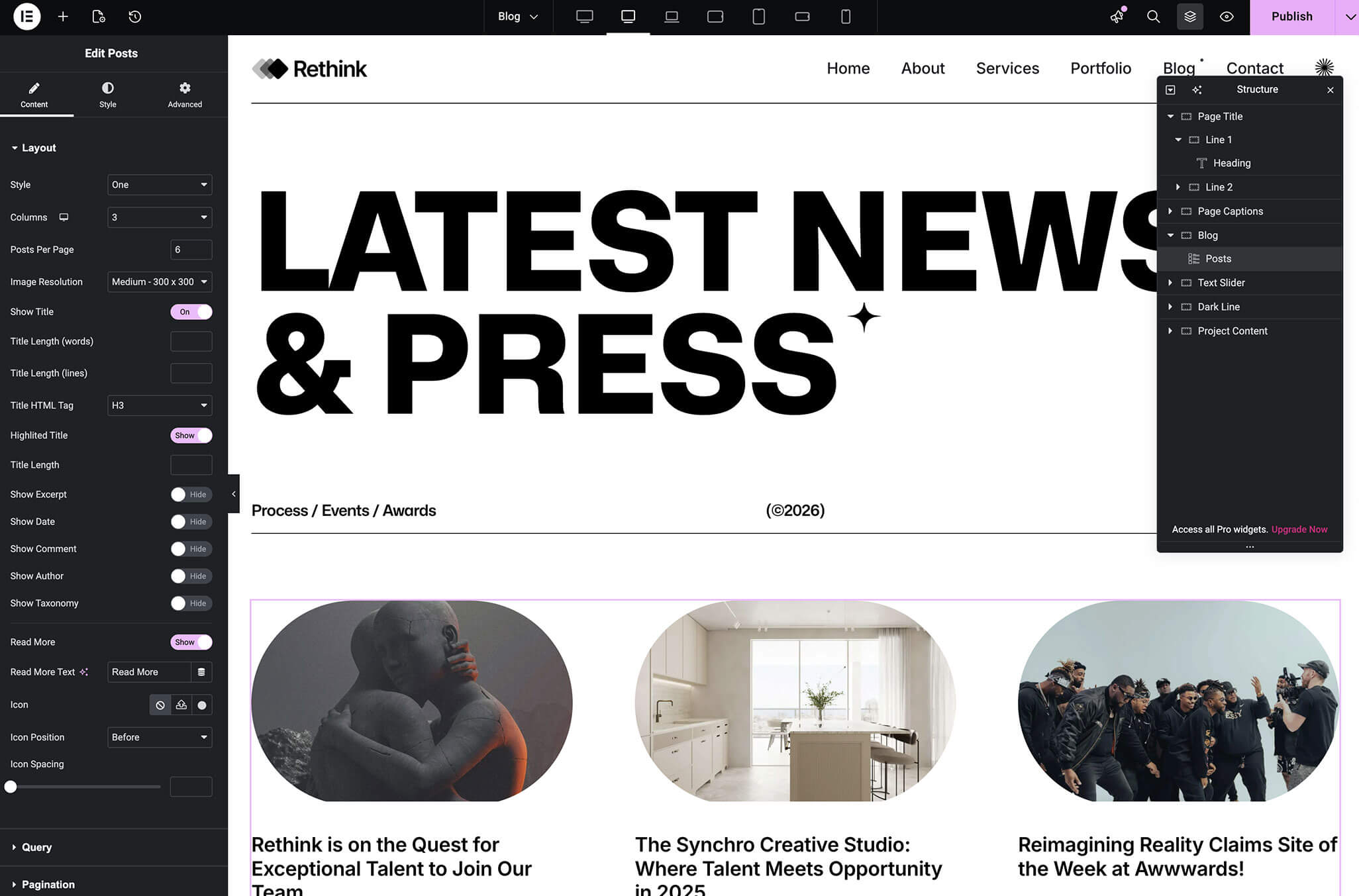
If you are using Elementor to build your blog:
- Create a new page.
- Edit the page with Elementor.
- Use blog or post-related widgets to display posts.
- Publish the page.
In this case, you do not need to assign a blog page in WordPress reading settings.
Using Default Theme Blog
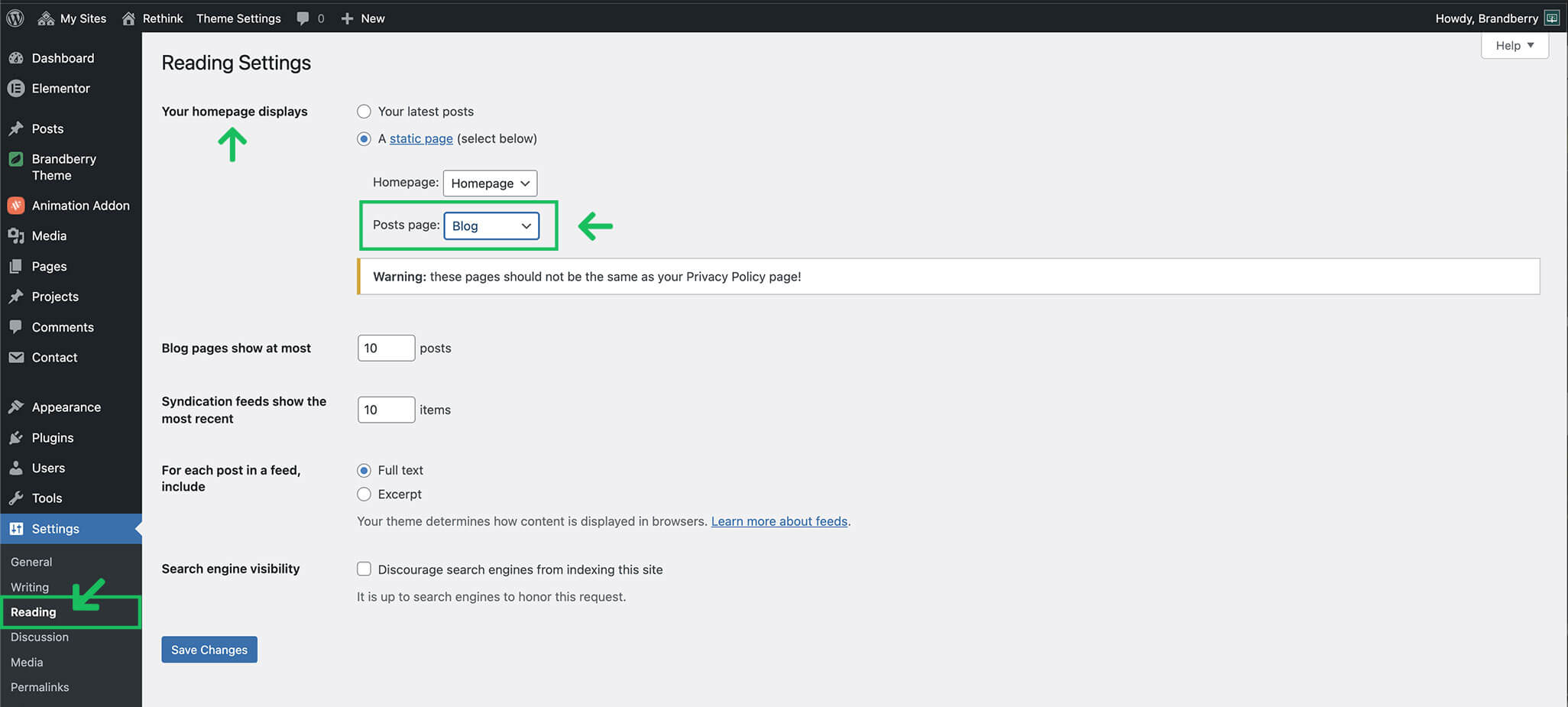
If you are using the default theme blog layout:
- Go to Settings → Reading.
- Set Your homepage displays to A static page.
- Select a page for Posts page.
- Save changes.
The selected page will automatically display blog posts using the theme layout.