Footer Builder
Estimated reading: 1 minute
261 views
In Brandberry, footer are built visually using Elementor through the Theme Builder. This allows you to fully customize layout, spacing, colors, and responsive behavior without touching code.
Edit Brandberry Footer
You can access the Theme Builder in three ways:
- Go to Brandberry Theme → Theme Settings → Footer
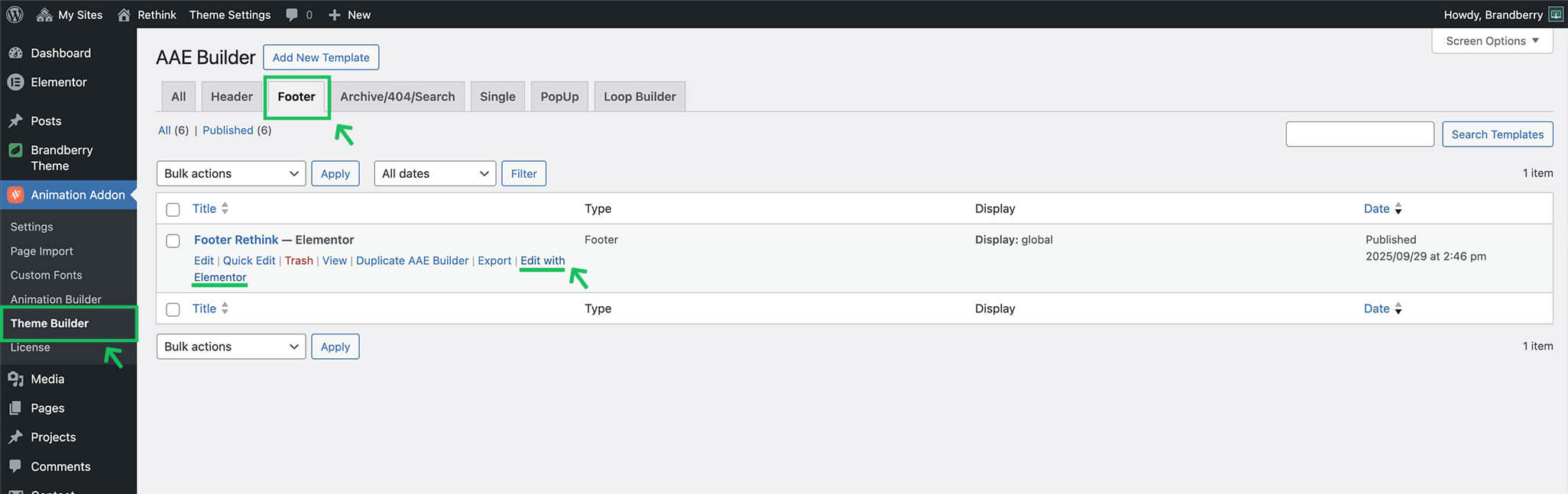
- Go to Animation Addons → Theme Builder → Footer
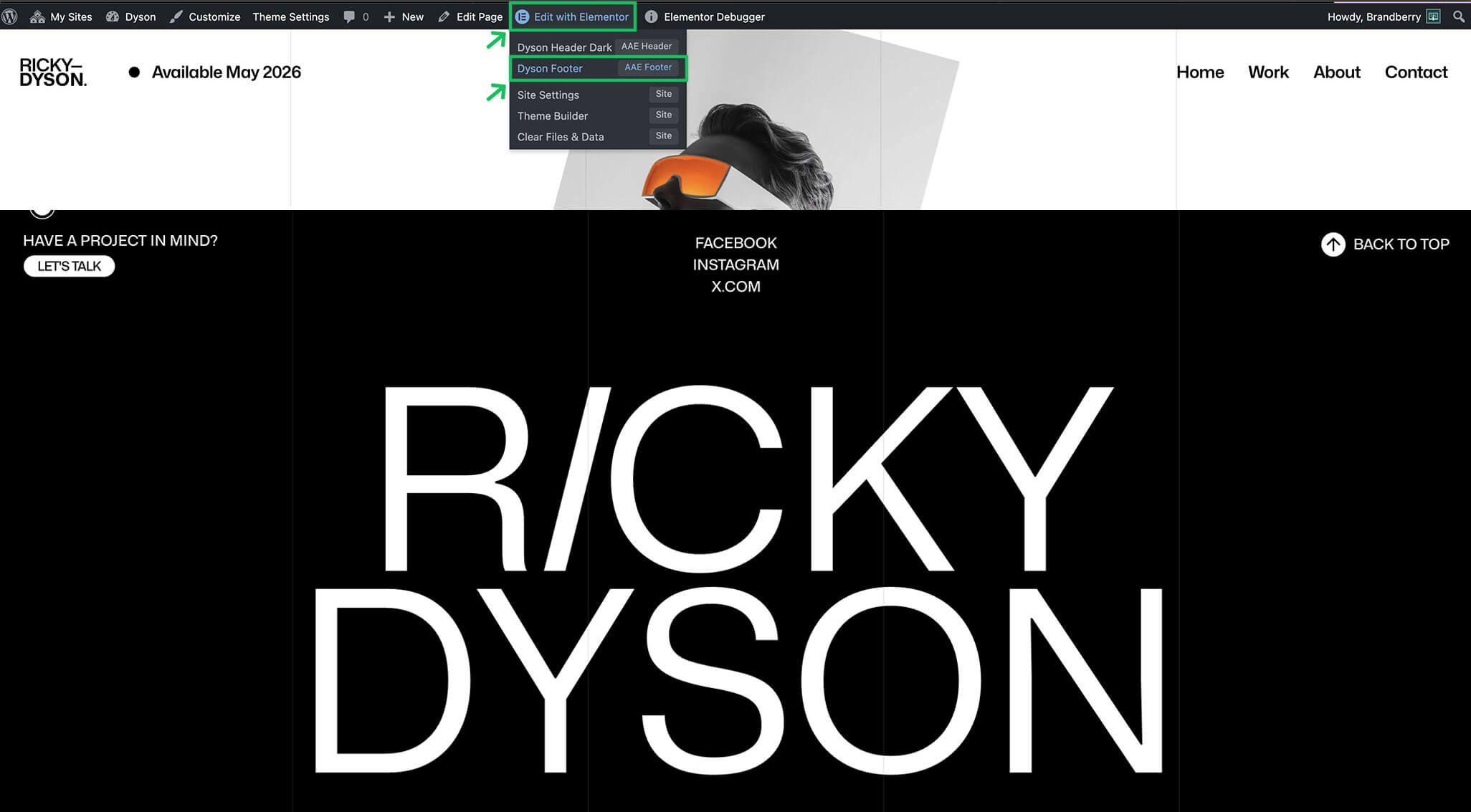
- Access the builder in the frontend page on Edit with Elementor → Edit Footer
How to create a new Footer
To create a custom footer:
- Open the Theme Builder (Animation Addons → Theme Builder)
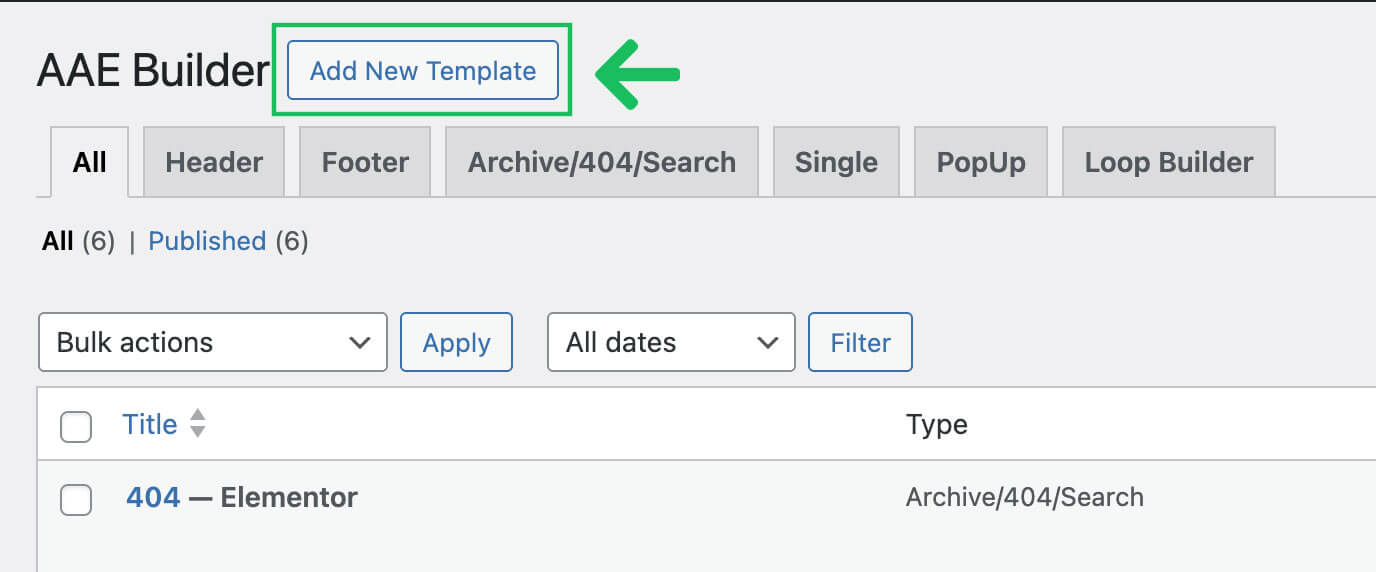
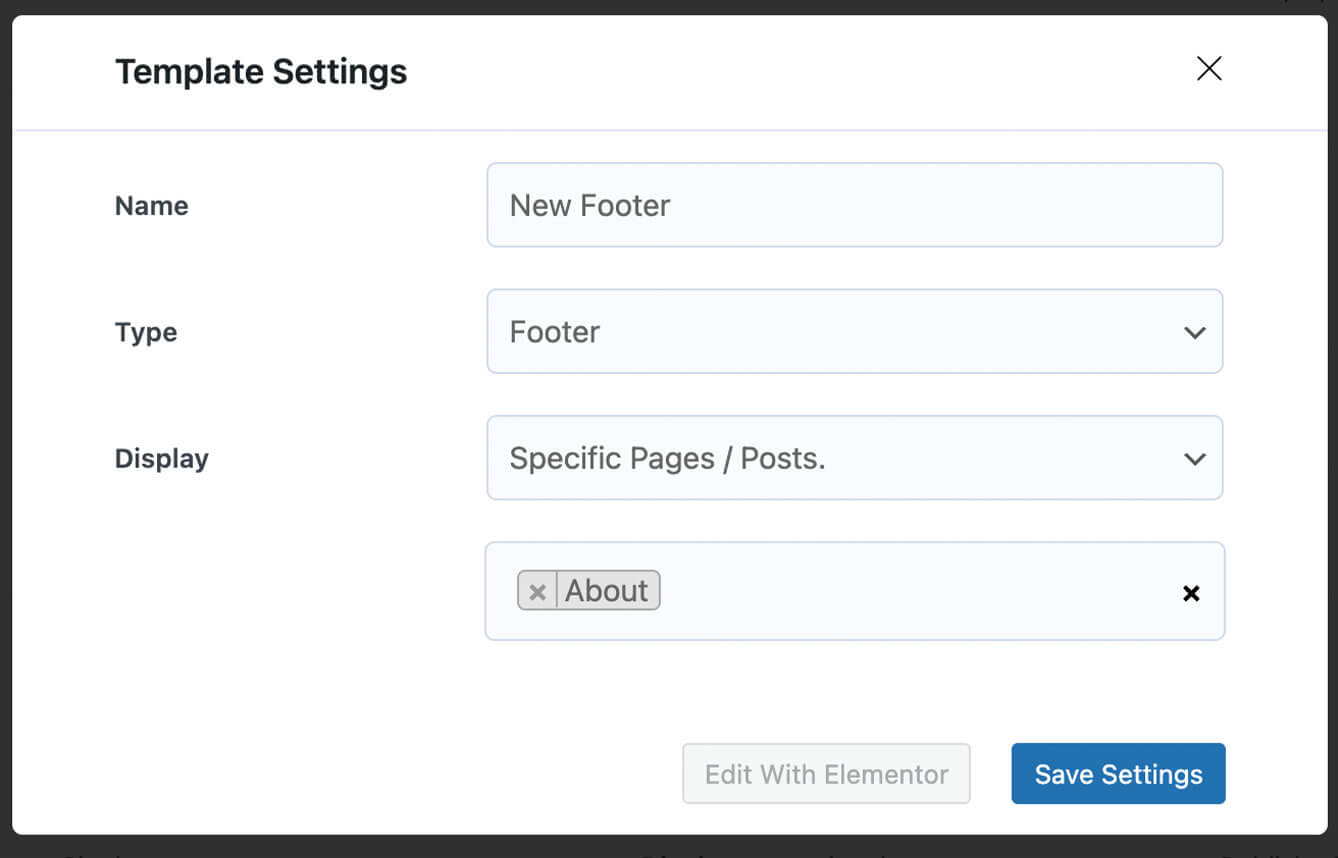
- Click Add New Template and choose Footer.
- Fill the options and conditions.
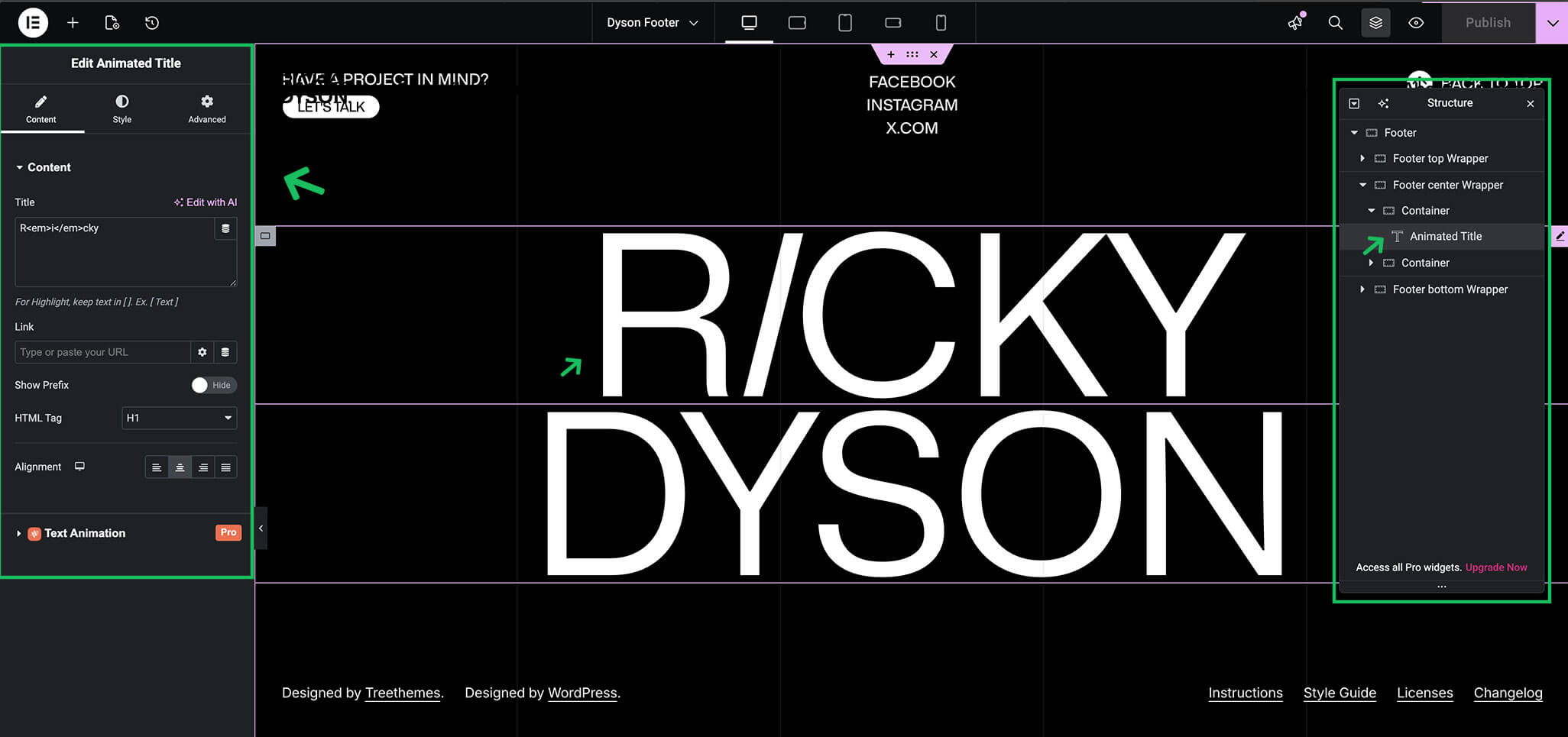
- Click Edit with Elementor.
- Design your footer using Elementor widgets.
After creating a footer template, you can control where it appears on your site. Display conditions allow you to:
- Use the footer globally across the site
- Assign different footers to specific pages or post types
- Create custom footer for special layouts
Tip If you are new to the Theme Builder, start by editing the demo footer. This helps you understand how the layout is structured and how widgets are used.