Setup Child Theme
Using a WordPress child theme is the recommended way to apply custom code changes to your website when working with Brandberry. A child theme allows you to safely modify or override theme files and functions without losing your changes when the main theme is updated.
Basic coding knowledge is required to work with a child theme. For advanced customizations,we strongly recommend hiring an experienced developer.
Support Information
Because child themes allow full customization of the theme’s functionality and structure, we are not responsible for any changes made within the child theme. Our support service does not cover issues related to custom code added to the child theme.
Please note that custom modifications may not always be compatible with future versions of the parent theme and may require ongoing maintenance on your side.
What Is a Child Theme?
A child theme is a WordPress theme that inherits all functionality, templates, and styles from the parent theme, in this case, Brandberry.
Brandberry includes a dedicated child theme designed specifically for safe customization. The child theme contains minimal files and serves as a place where you can add your own code without editing the parent theme files.
Always use a child theme when customizing core theme files. Never modify the parent theme directly, as all changes will be lost during updates.
We do not release updates for the child theme, which means all custom code added there remains intact when the parent theme is updated.
Common use cases for a child theme include:
- Adding custom CSS styles
- Overriding template files (header, footer, posts, etc.)
- Adding custom PHP functions
- Using WordPress hooks and filters
Download & Install the Child Theme
You can download the Brandberry Child Theme from your ThemeForest downloads area or from the theme package provided with your purchase.
To install the child theme:
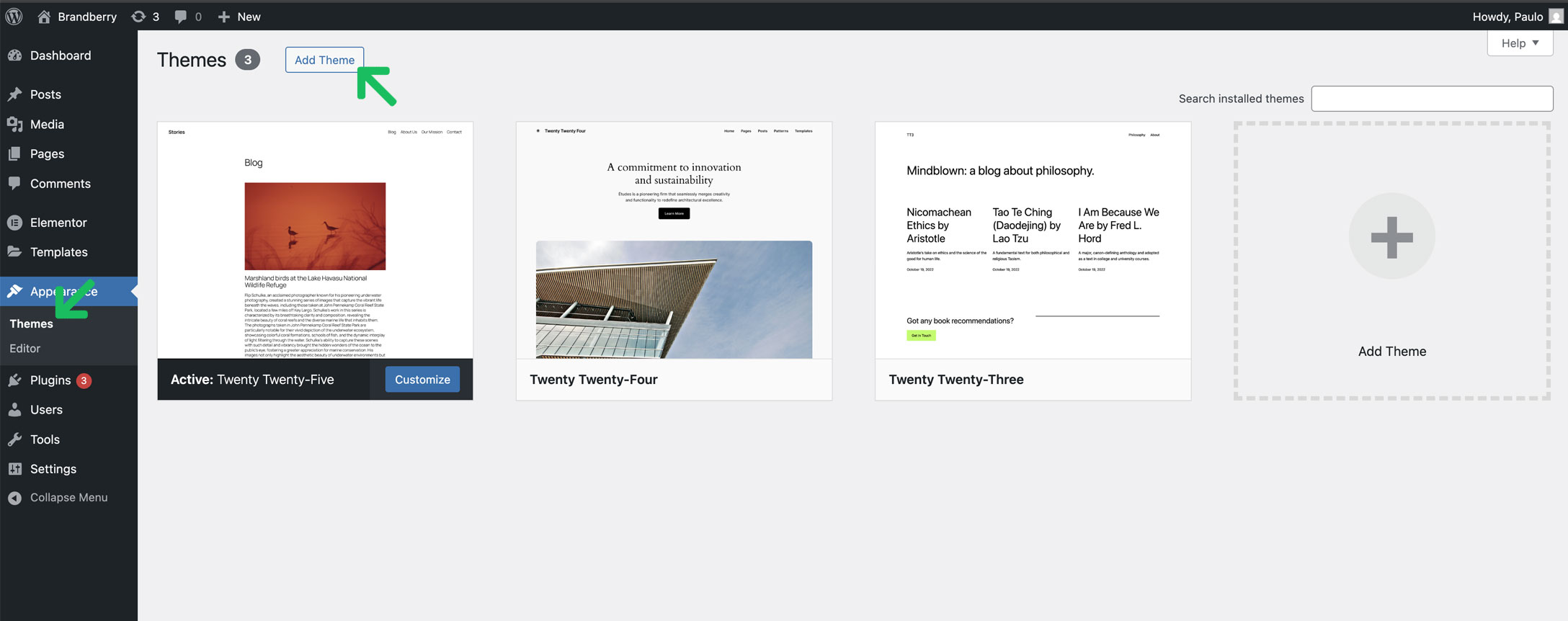
- Go to Appearance → Themes in your WordPress dashboard.
- Click Add New → Upload Theme.
- Select the
brandberry-child.zipfile and upload it. - Install and then activate the child theme.
Once activated, the child theme will automatically use all functionality from the Brandberry parent theme.